Win10 10041+ 版本引入 Spartan (後更名 Edge) 瀏覽器,設定入口在右上角選單「設定」。主要功能操作:
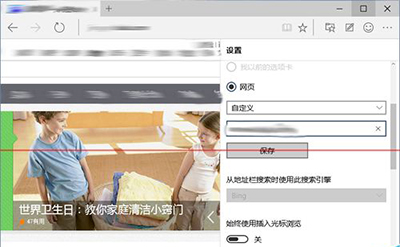
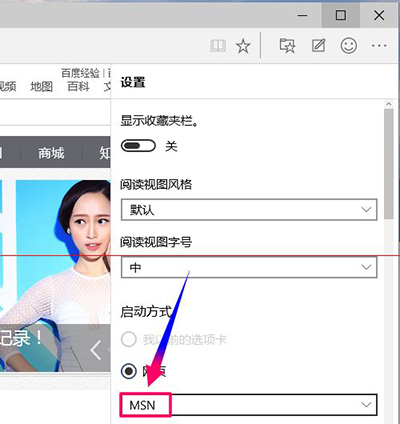
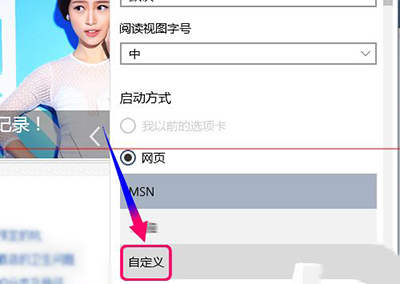
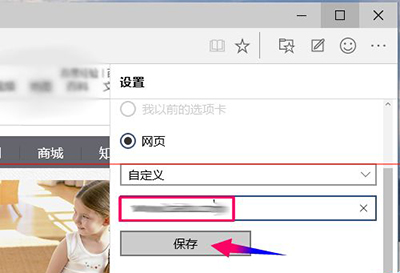
設定首頁
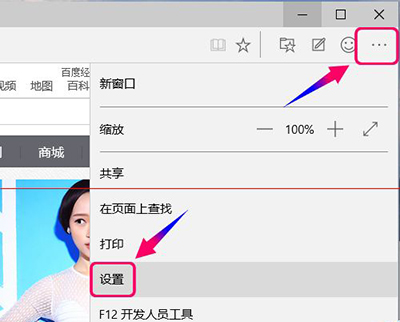
- 右上角「...」→「設定」。
- 下拉至「開啟方式」區域 → 選擇「特定頁面」 → 輸入網址 → 「儲存」。
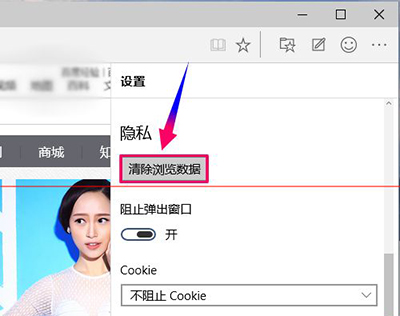
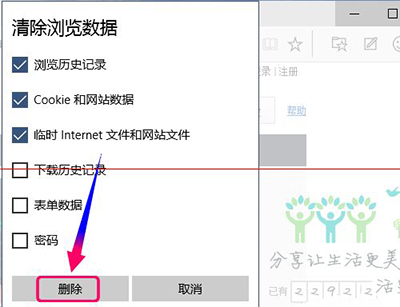
清除瀏覽資料
- 設定 → 「隱私權與安全性」 → 「清除瀏覽資料」。
- 勾選所需項目 (歷程、Cookie、快取等) → 「清除」。
啟用 Adobe Flash Player
- 設定最底部 → 「Adobe Flash Player」開關切換為「開啟」。
- 重新啟動 Edge,Flash 內容即可正常載入 (QQ 農場、線上影音等)。
Edge 設定介面簡潔直觀,基本功能一目了然,適合一般用戶快速上手。