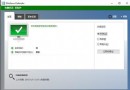
Wi-Fi 已普及,Win7 連接無線網路步驟:
完成後筆電即可自由移動上網,不受網線限制。若遇連不上,檢查驅動程式、無線開關、路由器設定(MAC 過濾、隱藏 SSID 等)。
Win10 滑動關機怎麼設定?建立捷徑一鍵體驗炫酷關機動畫
Win7 隱藏檔案/資料夾怎麼顯示與隱藏?資料夾選項圖文教學
Win10 Mobile 10581 升級後開始畫面花屏?更換背景圖片即可解決
Win10 安裝迅雷看看卡在「正在準備安裝」?解除鎖定屬性 + 以管理員身分執行
Windows 8 關閉 USB 隨插即用自動播放功能教學:防範病毒傳播
Win10 Mobile 10149 升級包含完整 Android 子系統:Project Astoria 核心組件曝光
Win7 禁用睡眠模式:電源選項將「讓電腦進入睡眠」設為「永不」
Win7 無法複製貼上文字怎麼辦?重啟、關閉干擾程式、重啟 Explorer、建立 clip 資料夾四招解決