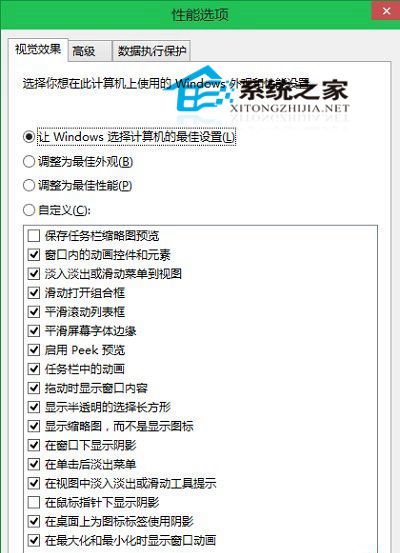
Windows 10 延續經典「效能選項」對話方塊,讓使用者在視覺特效與系統效能間取得平衡:
操作邏輯與 Windows 7/8 相同,降低學習成本。無特殊需求建議保持預設「讓 Windows 選擇最佳設定」。
Win10 一週年更新 Windows Ink 智慧手寫官方詳解:Workspace、草圖板、螢幕草圖、便利貼、手寫筆自訂
Windows 工作管理員遺失選單列與索引標籤?雙擊標題列邊緣即可修復
Windows 如何設定自動關閉螢幕並鎖定螢幕?省電又安全的電源選項設定
Win10 玩 LOL 遊戲大廳白屏?修改 DNS 為 114.114.114.114 即可解決
Win8 桌面建立控制台捷徑:個人化設定一勾選搞定
微軟承諾:Windows 10 永不收取年費,Gabriel Aul 親自背書
Win8.1 關閉 OneDrive 同步服務兩大技巧:設定介面與群組原則徹底禁用
Win7 Word 啟動提示「安全模式」修復:刪除損壞 Normal.dot 範本檔一鍵解決