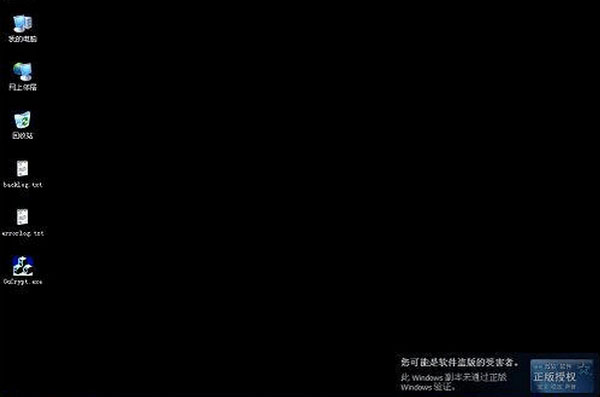
盜版XP遭遇WGA(Windows Genuine Advantage)驗證失敗後,症狀包括:桌面變純黑、每小時強制黑屏一次、登入中斷對話框、右下角永久通知「您可能是盜版受害者」。Office同樣受影響。提供徹底移除WGA組件的批次腳本與註冊檔清理方案,恢復正常使用。
我的電腦 → 內容 → 自動更新 → 選擇「關閉自動更新」。
Win+R → services.msc → 找到並設為「已停用」:
建立RemoveWGA.bat,內容如下:
@echo off
sfc /purgecache
reg delete "HKEY_LOCAL_MACHINE\SOFTWARE\Microsoft\Windows NT\CurrentVersion\Winlogon\Notify\WgaLogon" /f
taskkill /f /im WgaTray.exe /t
del /f /q C:\Windows\System32\WgaTray.exe
del /f /q C:\Windows\System32\dllcache\WgaTray.exe
del /f /q C:\WINNT\System32\WgaTray.exe
del /f /q C:\WINNT\System32\dllcache\WgaTray.exe
echo. & pause
執行後系統將移除WGA驗證組件,黑屏症狀消失。
regedit → 定位:HKEY_LOCAL_MACHINE\SOFTWARE\Microsoft\Windows NT\CurrentVersion\Winlogon\Notify\WgaLogon → 右鍵刪除整個WgaLogon項。WgaTray.exe(C:\Windows\System32、C:\Windows\System32\dllcache、C:\WINNT\System32等)。手動更新時取消勾選:Windows Genuine Advantage Validation (KB905474)。若已安裝,在「已安裝的更新」中解除安裝。
技術手段可暫時繞過WGA,但無法解決XP架構層面的安全缺失。條件允許請盡早遷移現代作業系統。