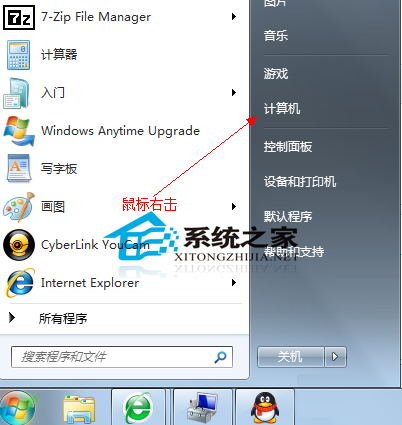
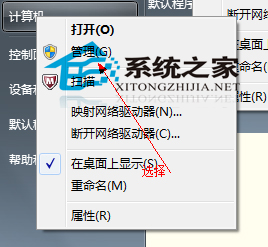
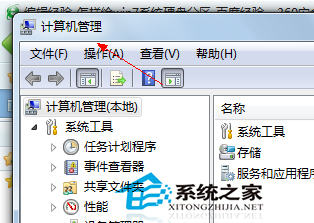
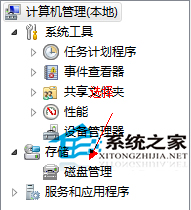
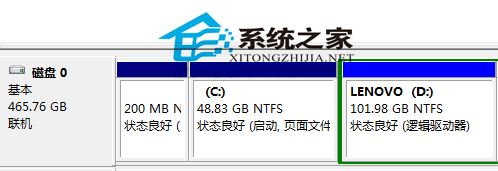
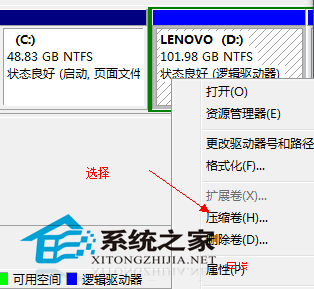
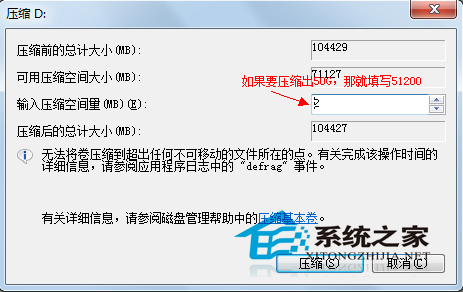
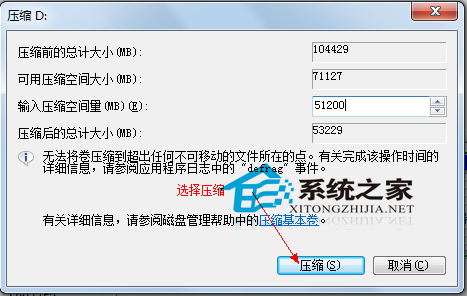
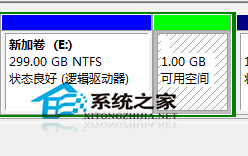
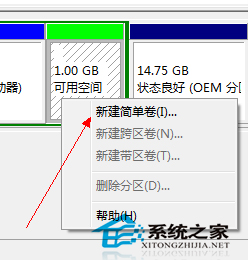
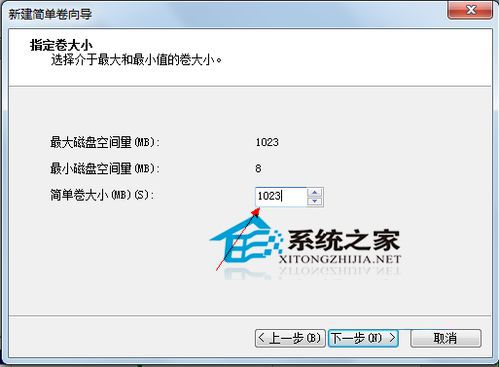
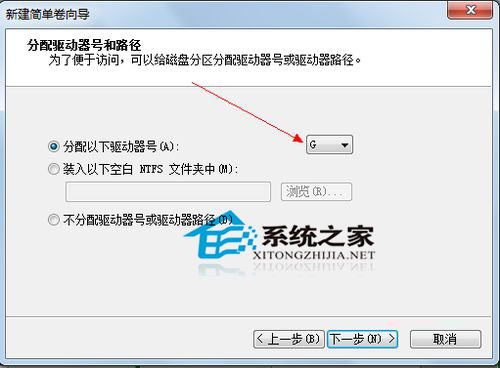
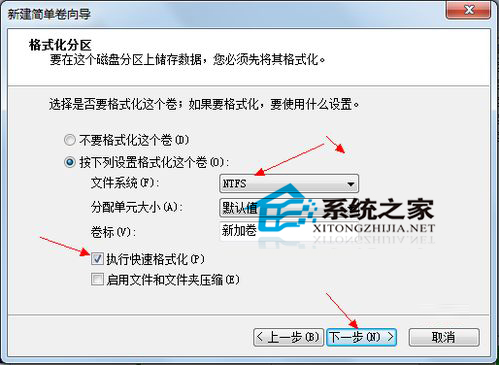
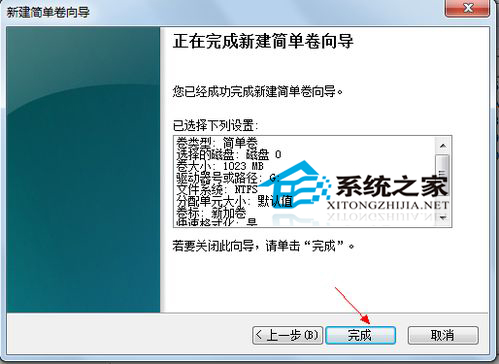
新電腦僅 C/D 兩磁碟,需再分割。Win 內建磁碟管理工具即可無損壓縮分割:
操作全程圖形化、無需第三方工具,資料無損 (建議先備份)。
Win7 家庭進階版找不到 secpol.msc (本地安全性原則) 怎麼辦?
Win10 升級失敗 80070003 錯誤解決方案
微軟官方確認:Win7 升級 Win10 後第三方輸入法需重裝最新版
Win10 IE11 無法相容網銀?關閉 SmartScreen/增強保護模式 + 加入相容性檢視即可登入
WinXP 光碟機圖示消失怎麼辦?裝置管理員啟用與驅動修復完整教學
Win8.1 安裝 Office 365 錯誤 30125-1011 (404)?手動指定 DNS 4.2.2.2/4.2.2.1 或換時間點重試
Windows 8.1 遊戲缺少 xinput1_3.dll 無法執行?補齊 DirectX 9.0c 組件即可修復
禁止 Win7/Win8 開機自動載入軟體:msconfig 與工作管理員啟動頁籤精簡啟動項加快開機