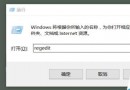
透過清除 Windows Update 快取資料解決:
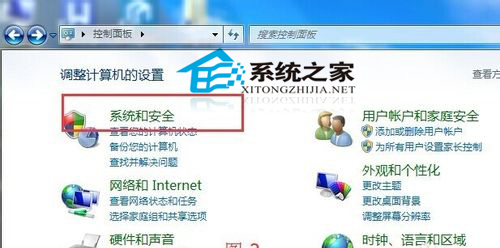
C:\Windows\SoftwareDistribution,刪除 DataStore 與 Download 資料夾內所有檔案。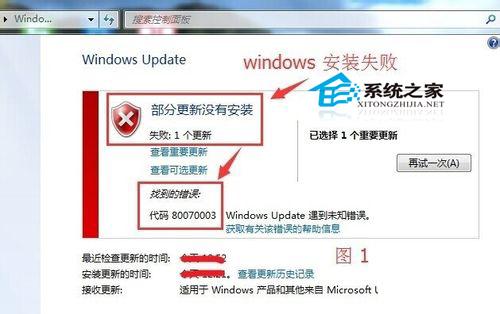
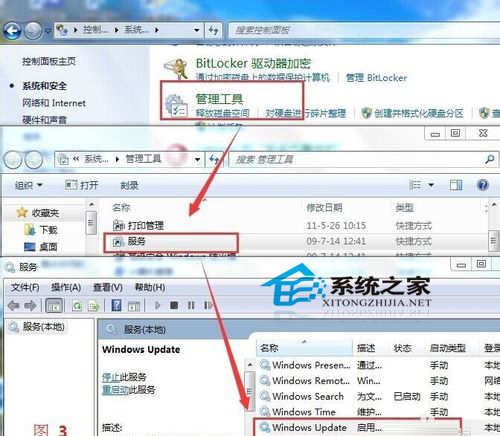
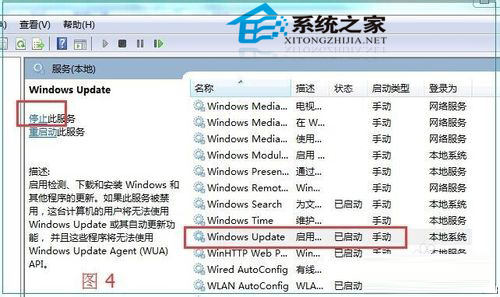
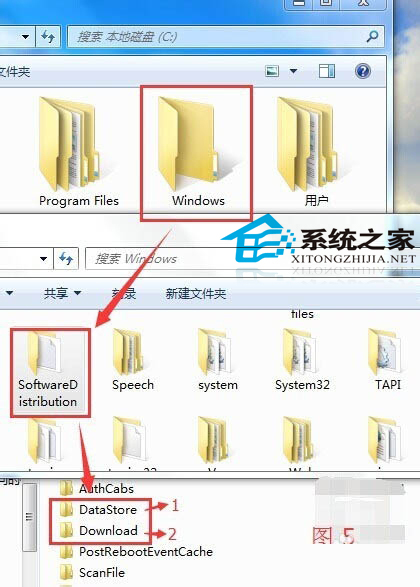
錯誤代碼 80070003 通常指更新快取損毀,清除快取為標準修復手段。
Win10 IE 瀏覽器無法開啟/無法使用?三大解決方案:重設 Proxy、建立新管理員帳號、重設 Winsock
微軟公布 Windows 10 Mobile 最低硬體規格:門檻較 WP 8.1 更低
Win 7 開始選單找不到「執行」指令?三種快速開啟方法教學
Win10升級激活失敗出現0x8007007B錯誤碼完整解決方案
Windows 8 快速開啟「電腦管理」/ 管理工具:運行指令一鍵直達
Win7 藍屏錯誤代碼 0x0000007F 成因分析:主板相容、軟體衝突、記憶體故障三大方向
Win7 實用小技巧:設定預設輸入法、將常用程式釘選到開始選單與工作列
Win10 小娜打不開提示「依公司原則停用 Cortana」?群組原則啟用「允許使用 Cortana」並檢查檔案總管搜尋設定解決