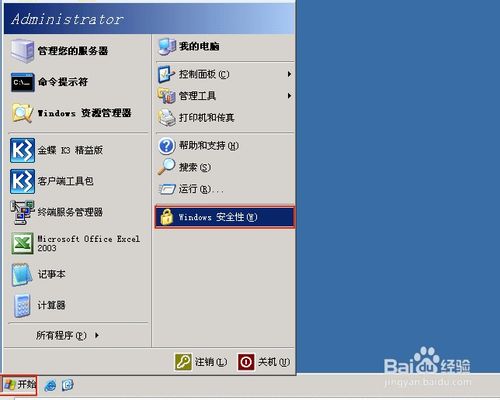
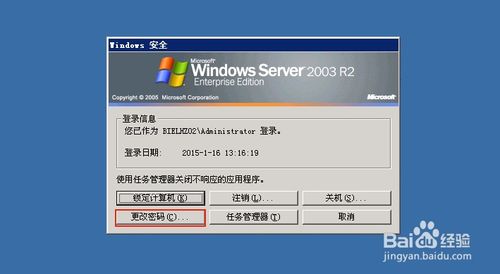
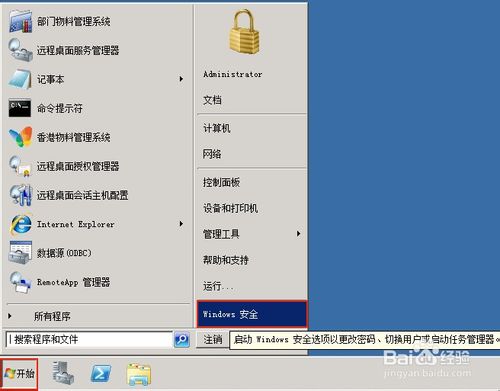
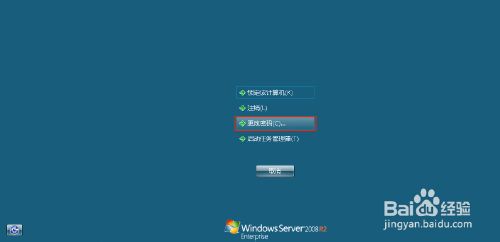
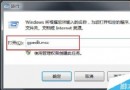
企業遠端桌面常需修改密碼。Server 2003 與 2008 操作一致:
無需登入實體主機,遠端即可完成密碼變更,方便管理員定期輪換密碼。
Win10 自带录屏:Win+G 唤起 Xbox Game Bar,支持游戏/应用录制截图
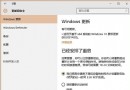
校園網頻寬有限如何升級 Win10?先下載安裝包離線安裝再聯網啟用
新版 Win10 Build 10051 截圖洩露:新增通用應用程式支援
Win10 內建「免打擾時段」即遊戲模式:一鍵靜音通知、排程自動開關、僅限 Modern App 生效
解決 Windows 7 無法刪除資料夾的權限問題
Win7 啟用 Guest 帳號:電腦管理啟用帳號 + 群組原則移除登入拒絕
Win7 命令列查看所有磁碟區標籤與詳細資訊:Diskpart list volume 實操指南
Win10 15014 修復桌面圖示自訂位置失效:重開機不再亂跑,多螢幕佈局也穩定