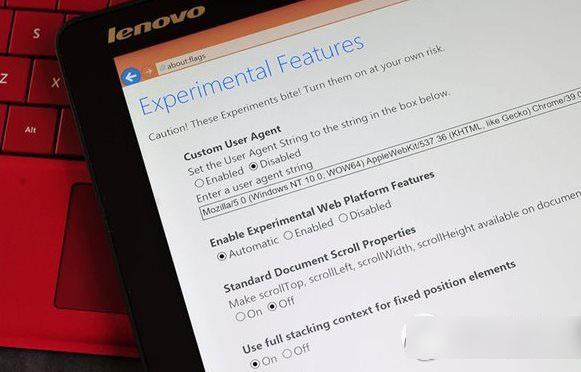
Win10 9926 IE11 隱藏 Spartan Edge 引擎,啟用步驟:
about:flags。若不穩定可改回 Disabled 使用舊 Trident 引擎。此為開發者預覽功能,正式版將以獨立 Spartan 瀏覽器呈現。
Win7 重裝系統遭遇斷電怎麼辦?錯誤提示「計算機意外重啟」完美解決教程
Windows 8 系統下安裝 BackTrack 5 (BT5) 實戰教學:分割區、引導修復全紀錄
Windows 10 免費升級預約全流程圖文教學:三步驟輕鬆完成預約
Windows 8.1 升級 Windows 10 技術預覽版 9841 顯示未啟用 錯誤 0xc004fc03 解決方案:重置網路元件與元件存儲修復
Windows 記憶體診斷工具使用教學:快速偵測記憶體條故障導致的藍屏、重開機
Win10 內建「手機助手」與「郵件和行事曆」應用同步更新 功能優化與修正
Win10 Mobile Build 14951 上手體驗影片:優於 14946、應用清單捲動需修復、系統共用損壞、電池壽命下降