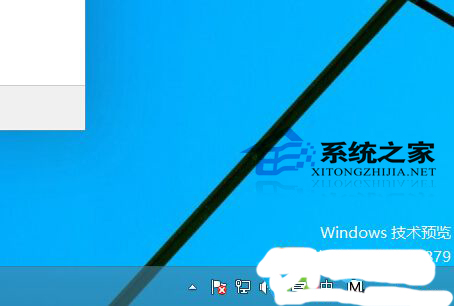
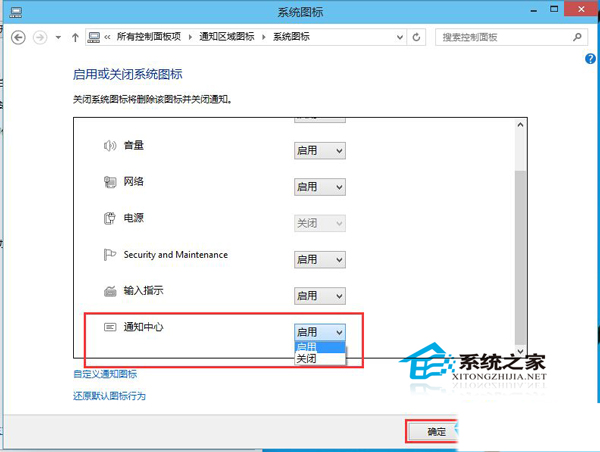
Win10 通知中心圖示常駐工作列右側,若鮮少收到通知可隱藏:
通知中心整合傳統應用、系統、Modern 應用通知,現階段僅供檢視,微軟承諾後續加強互動功能。
WinXP 無法修改系統時間提示「沒有適當的特權」?群組原則授予用戶「變更系統時間」權限解決
Windows 10 如何安裝國際象棋遊戲?完整教學與避坑指南
Windows 7 服務優化完整指南:逐項分析啟動類型建議
Win10 如何卸載已安裝的可選功能?圖文教學輕鬆釋放磁碟空間
Win10 10049 Hyper-V 無法啟動?原因分析與臨時解決方案
Windows 10 Build 10014 Spartan 瀏覽器截圖曝光:全新介面、閱讀模式、筆記標註搶先看
Win10 週年更新 Desktop App Converter 0.1.22 釋出:支援 Build 14388+ 系統將 Win32 應用轉制為 UWP
Win8.1 玩大型遊戲卡頓不流暢?更新顯卡驅動一鍵解決