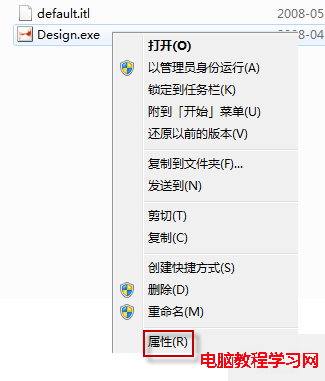
Windows 10 9926 任務列最右側「顯示桌面」按鈕預設關閉 Peek 預覽功能。需在任務列屬性中手動啟用。
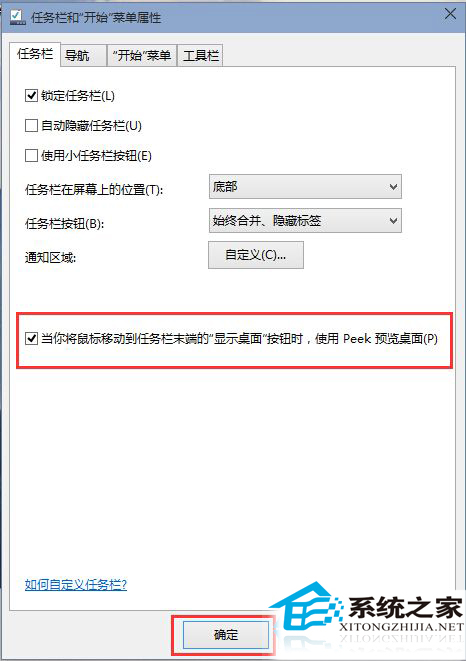
此功能沿用自 Windows 7,對多視窗快速切換極為實用,建議開啟。
微軟誤推 Win10 Mobile 10536.1003 導致 200 位內部測試者無法升級,需降級 WP8.1 重來
海爾筆電 U 盤重裝 Win7 系統完整圖文教學:U極速啟動盤製作、GHOST 映像部署、BIOS 設定與驅動安裝
Win7 藍屏 0x000000C5 錯誤解決:B150 主機板必開 Intel 虛擬化技術
Win8 錯誤 0x80070005 拒絕存取解決:以系統管理員身分執行 CMD 註冊 DLL
Win7 瀏覽器網頁顯示亂碼?手動切換編碼(UTF-8/GB2312)解決
Win10 升級出現 0x80240020 錯誤怎麼解?註冊表 AllowOSUpgrade 強制啟用升級通道教學
Win10 UI 大改版:Project NEON 重現 Win7 Aero 毛玻璃、引入 Acrylic 模糊材質,秋季 RS3 才見真章