本文詳細說明 Windows XP、7、8 三個版本查詢本機 IP 位址、子網路遮罩、預設閘道、DNS 伺服器等網路資訊的方法。
Windows XP
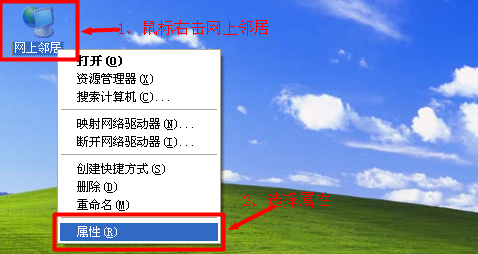
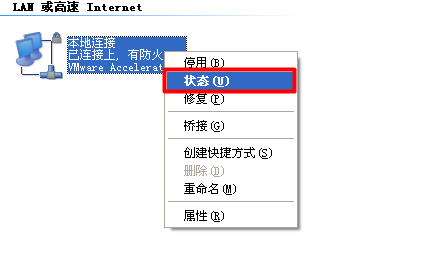
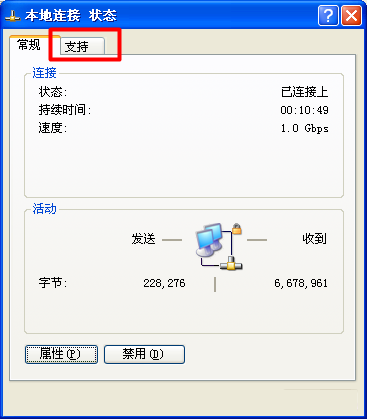
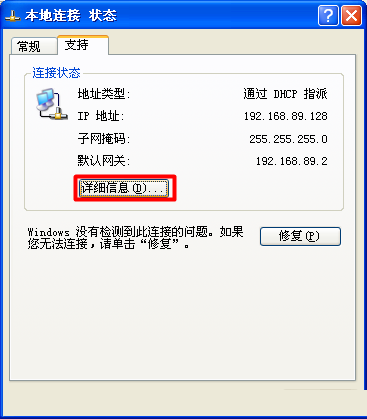
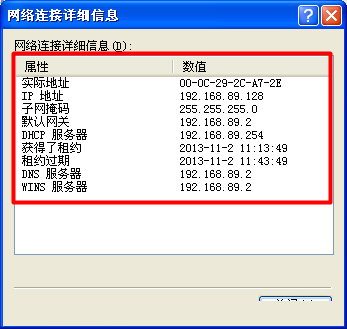
Windows 7
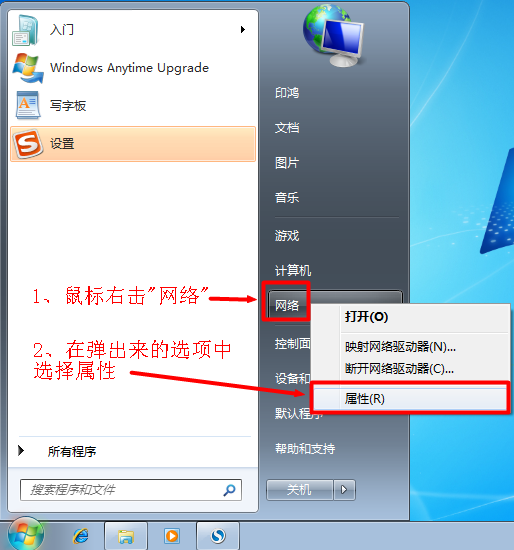
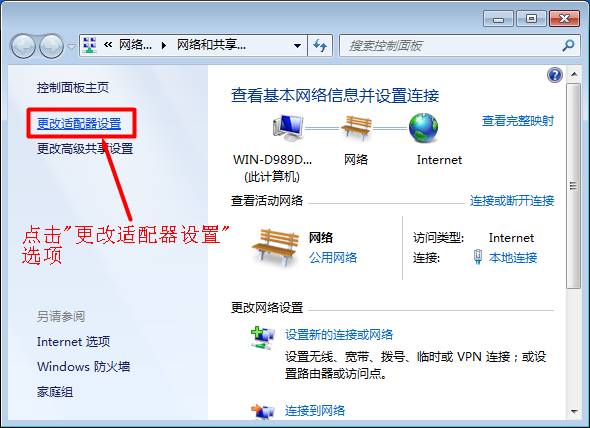
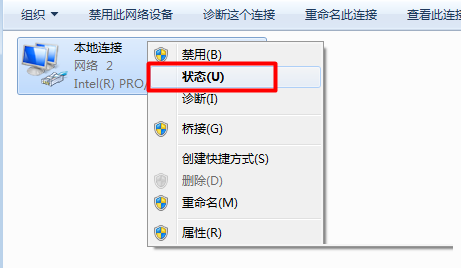
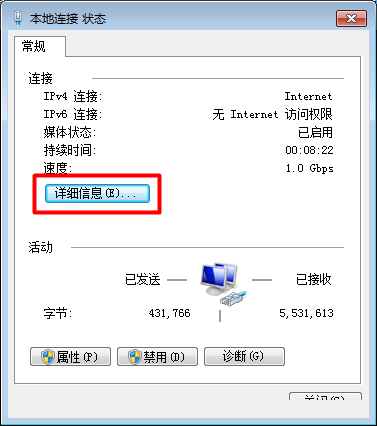
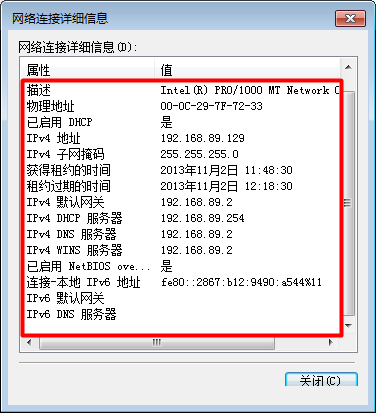
Windows 8
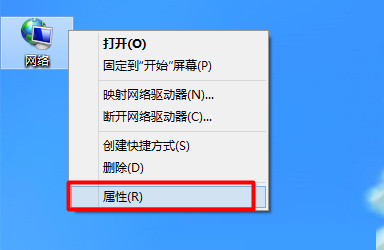
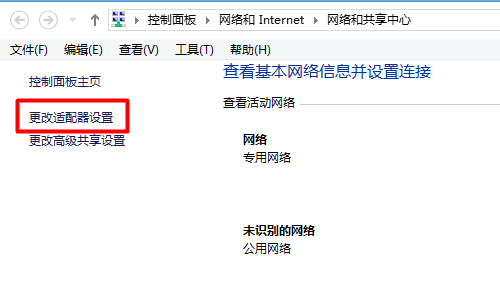
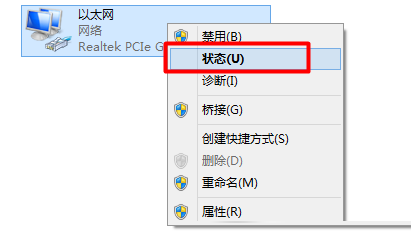
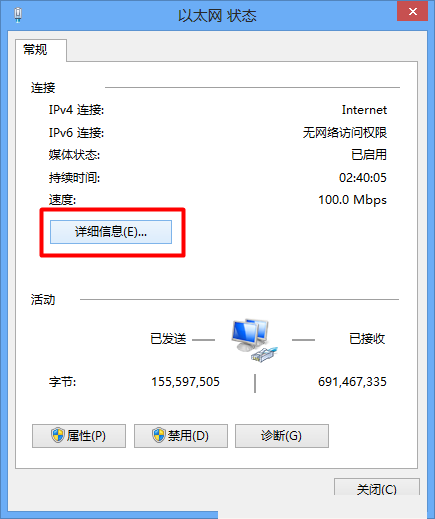
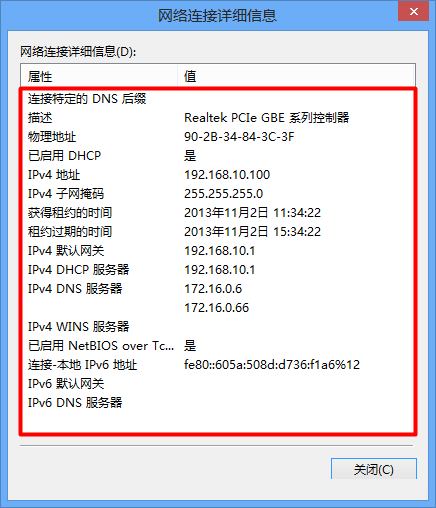
通用指令法(XP/7/8 皆適用)
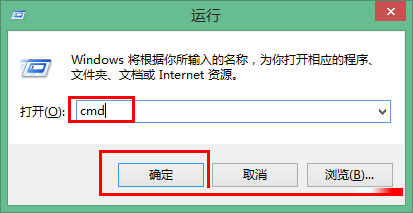
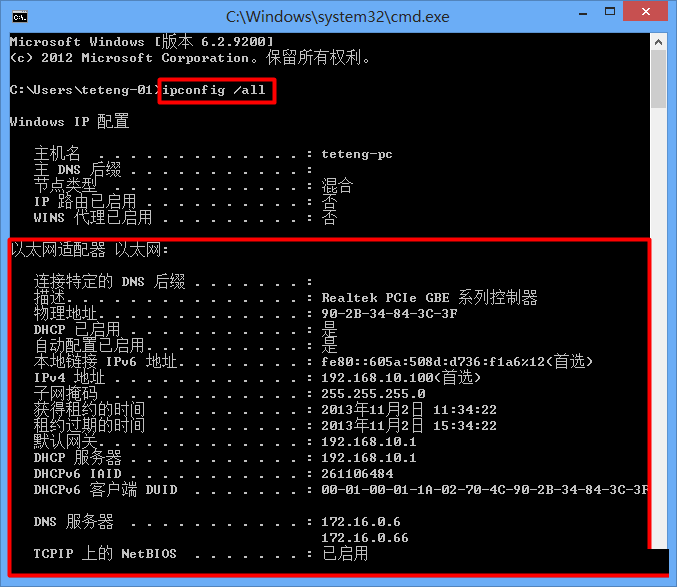
cmd。ipconfig /all 按 Enter,即可顯示完整網路資訊。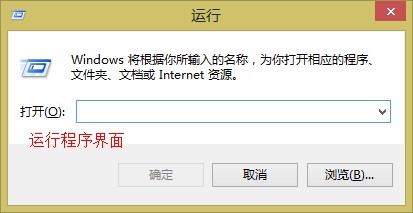
Win7 如何提高滑鼠精確度?勾選「提高指標精確度」讓遊戲瞄準、文字選取更精準
Win7 安裝虛擬列印機(Microsoft Print to PDF / Adobe PDF)完整教學:列印服務啟動與驅動修復
Win10 小娜 (Cortana) 不理人、語音無反應?修改預設播放器與 Groove 音樂資料夾修復教學
使用 USB 隨身碟安裝 Windows 8 完整圖文教學(UltraISO 製作開機碟)
Win10 如何禁止存取指定網站?修改 Hosts 檔案將域名導向 127.0.0.1 徹底封鎖
Windows 10 Insider 預覽體驗計畫 2016 年 1 月將釋出多個預覽版,推送頻率大幅提升