當 explorer.exe 崩潰導致桌面空白,可透過登錄啟用自動恢復殼層功能:
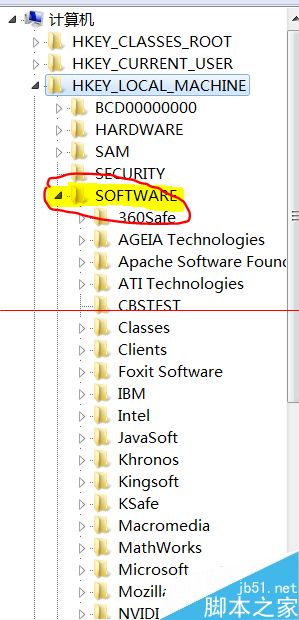
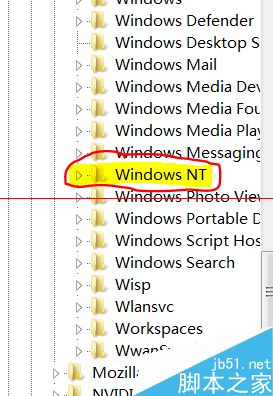
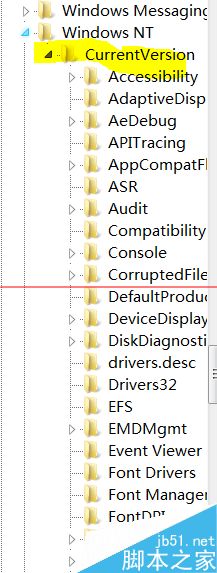
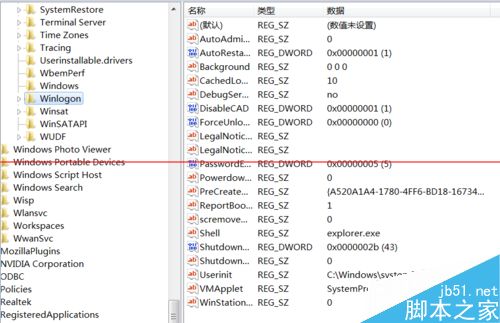
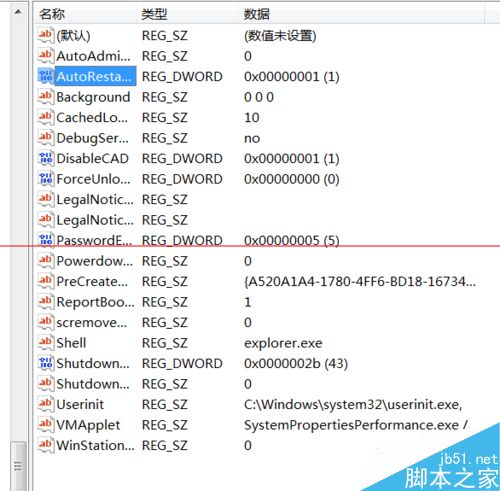
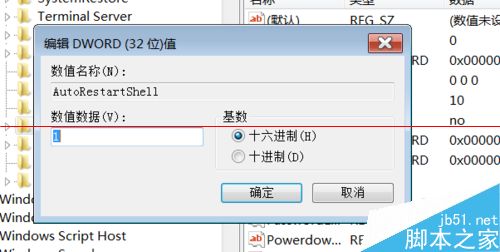
regedit 開啟登錄編輯器。HKEY_LOCAL_MACHINE\SOFTWARE\Microsoft\Windows NT\CurrentVersion\WinlogonAutoRestartShell,雙擊修改數值資料為 1(0 為停用自動恢復)。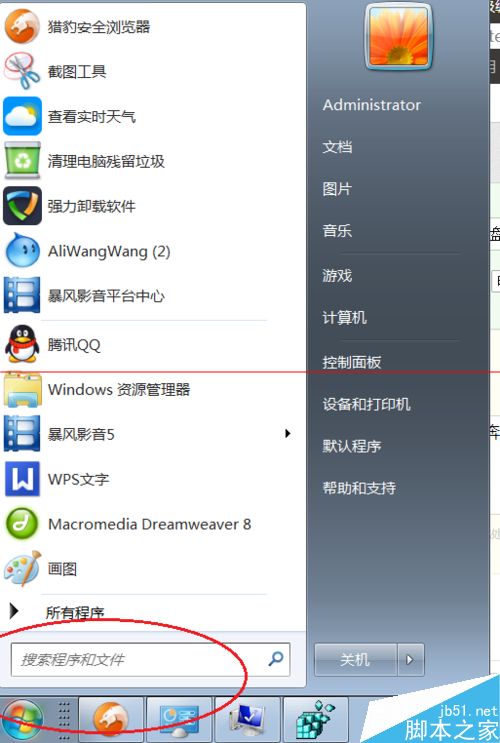

相關推薦: Windows 系統檔案出現亂碼怎麼辦?、Windows 取消關機強制關閉程式提示、Windows 無法驗證驅動程式發布者怎麼辦?
Win7 隱藏內建 Administrator 帳號:登錄表新建 SpecialAccounts\UserList 設定 DWORD 值為 0
Win10 系統時間改 24 小時制:設定 → 時間與語言 → 格式 → 變更短/長時間格式
Win7 開機提示「NVIDIA GeForce Experience Backend 停止運作」原因與解決辦法
Windows 10 隱藏神器 Game Bar 螢幕錄影教學:Win+G 開啟、Win+Alt+R 錄製、Xbox 應用管理剪輯
Windows 主題服務未執行導致主題無法載入?啟用 Themes 服務完整解決步驟
Windows 7 關閉開始選單氣球提示 (InfoTip) 教學:群組原則一鍵禁用