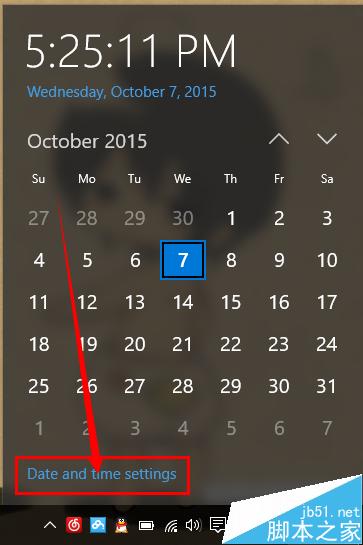
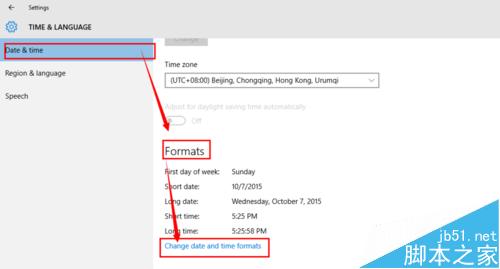
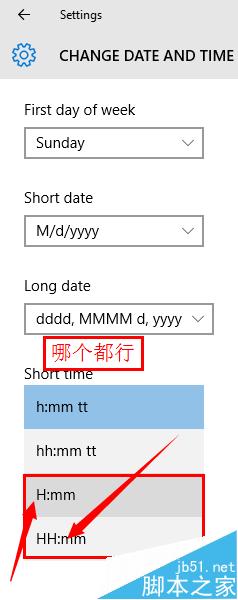
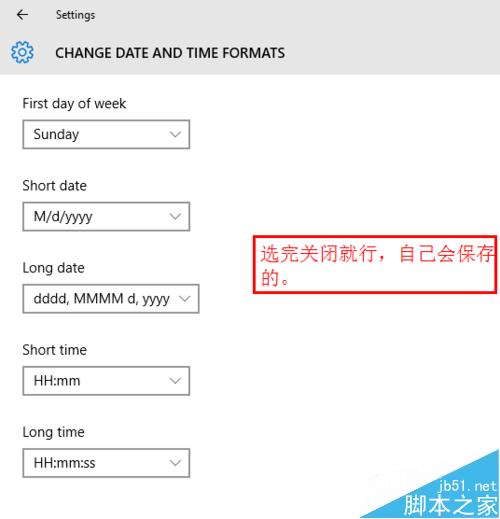
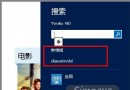
習慣 24 小時制?Win10 修改路徑:
HH:mm
HH:mm:ss
相關延伸: Win10 日期時間在哪改、Win10 自動同步網路時間教學。
WP8.1/Win10/PC 三平台密碼管理器 Enpass 限時免費:軍規加密、離線儲存、雲端同步、瀏覽器自動填表
Win8.1 圖片資料夾顯示並依解析度排序
Win10 簡體中文專業版零售價曝光:1799 元人民幣
Win7 登錄表開機啟動項如何開啟?Regedit 瀏覽 Run 鍵值檢視啟動程式
Win10 磁碟清理功能消失?重新啟用回收站即可恢復
Windows XP 磁碟分割完整攻略:內建磁碟管理與 PQMagic/PartitionManager 進階工具實戰
Win XP 自動批次檔清除機器狗病毒:虛擬軟碟機載入 DOS、Autoexec.bat 調用 Kill.bat、WinImage 修改開機映像
升級 Win10 後軟體會消失嗎?各版本升級保留內容完整說明