Windows 10 內建 Game Bar 螢幕錄影工具,雖名為遊戲列但不限遊戲應用,可輕鬆錄製任意螢幕內容。
Videos\Captures
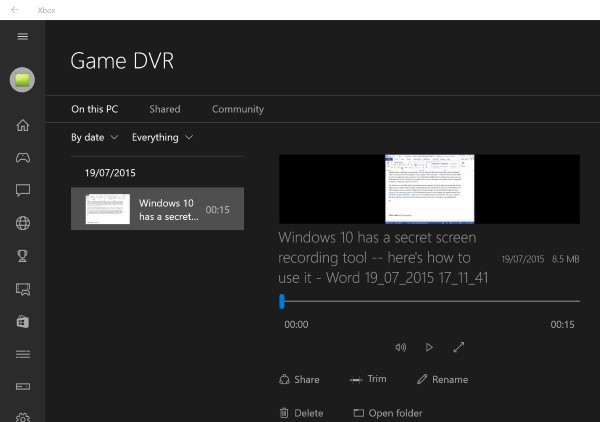
在 Xbox 應用的「Game DVR」分頁查看所有錄影,提供簡單剪輯(去頭去尾)。
Game Bar 讓螢幕錄影零門檻,無需第三方軟體即可記錄高分時刻或製作教學。
Win10 如何屏蔽通知與操作中心提示?群組原則設定每日免打擾時間完整教學
Win10 如何使用小娜 (Cortana) 搜尋本機檔案?兩種搜尋方式教學
Windows 7 清除隱藏裝置與過期驅動程式:解決不明原因重啟死機
Win10 Build 15002正式引入綠屏死機(GSOD):專為內測版區分診斷數據
Win7 設置開機登入密碼完整圖文教程:保護電腦隱私安全
Win7 檔案總管收藏夾新增資料夾捷徑
Windows 10 Build 14393 UAC 介面卡死怎麼辦?重命名 ChsIME.exe 或移除微軟輸入法
Win 10 更新補丁失敗出現「無法更新,正在復原」?清除 SoftwareDistribution 快取解決