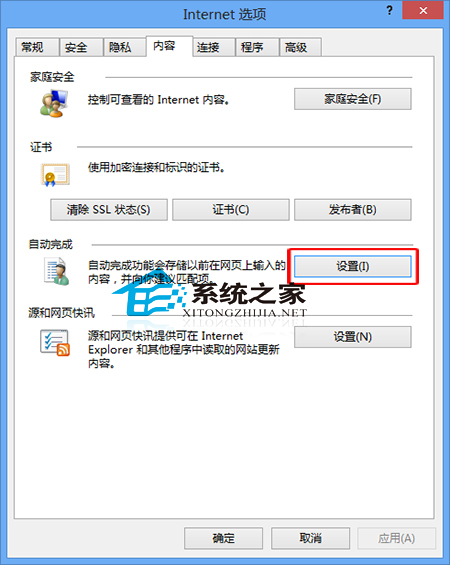
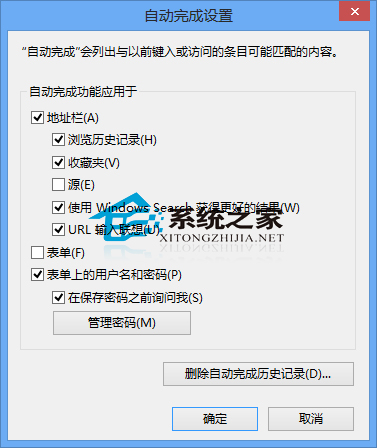
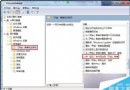
Windows 8 內建 IE 瀏覽器支援「自動完成」功能,可記憶網址、表單、使用者名稱/密碼等資訊,免去重複輸入。設定路徑如下。
同類功能:國產瀏覽器 (如獵豹瀏覽器) 亦提供類似功能,常稱為「自動填入」或「表單自動填寫」,操作邏輯大同小異。
Win7 家庭群組密碼變更教學:三步驟快速更新共用密碼
Win10 更新 Realtek 聲卡驅動逾時 0x000005b4?群組原則延長裝置安裝逾時時間
Windows 10 Insider 預覽版 Build 15010/15012 相繼現身,本週或將推送
Win10 Build 9926 純淨安裝教學:進階模式完整選項、i7+8G 僅需 8 分鐘
Win10 新增 Windows Hello 生物識別功能 支援臉部、虹膜、指紋登入
WinXP 系統調整桌面圖示大小完整教學:自訂具體像素數值
WinXP 螢幕解析度調整完整圖文教程:三步輕鬆搞定桌面顯示大小
Win10 開機自動進入平板模式:設置「登錄時自動切換」教程