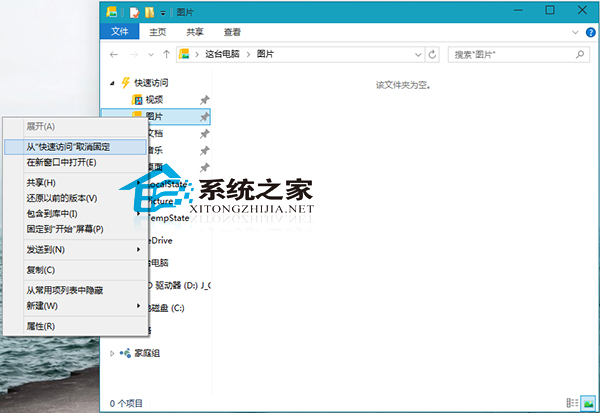
Win10 檔案總管左側「快速存取」預設固定部分資料夾,可能不符合所有使用者習慣。以下教學移除不需要的固定資料夾。
若需功能區永遠顯示以提升操作效率,可參考《Win10 檔案總管永遠顯示功能區操作方法》進行設定。
Win7 IE 遇到增益集故障關閉?兩種修復法:批次檔重註冊、IE 重設
Win7 Administrator 帳號被停用無法登入?安全模式/命令列啟用超級管理員完整教學
Win10手機版Build 10070辦公應用曝光:Word Preview磚磚加入,動態磚磚間距縮小
微軟重申:Windows Insider 成員免費升級 Windows 10 正式版並保持激活,但公開宣傳仍限正版 Win 7/8.1
重裝 Windows 7 後無法啟動 CentOS 6.4?用 LiveUSB 進入救援模式重裝 GRUB
Win7 檔案總管搜尋記錄怎麼刪?電腦管理軟體掃描清理或註冊表手動刪除 WordWheelQuery
Win10 安全中心服務 (SecurityCenter) 無法啟動?透過 services.msc 設為自動並手動啟動修復