不同網站使用不同帳號密碼易遺忘。Windows 8 憑證管理器可查看瀏覽器儲存的登入資訊:
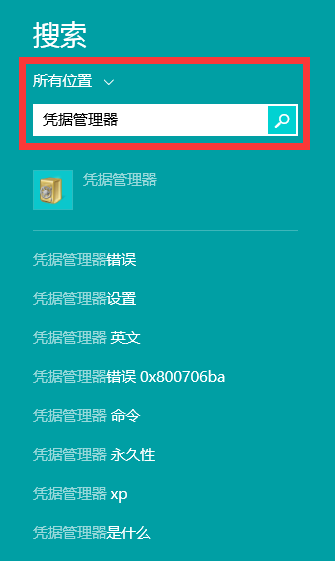
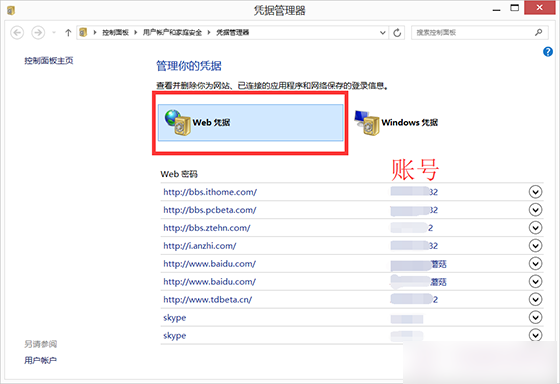
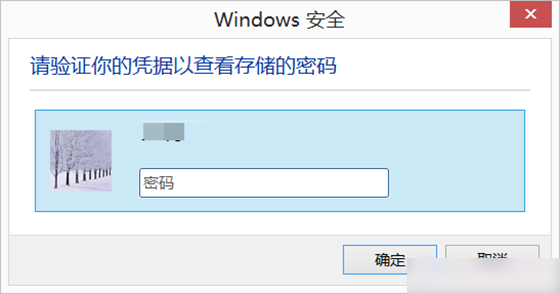
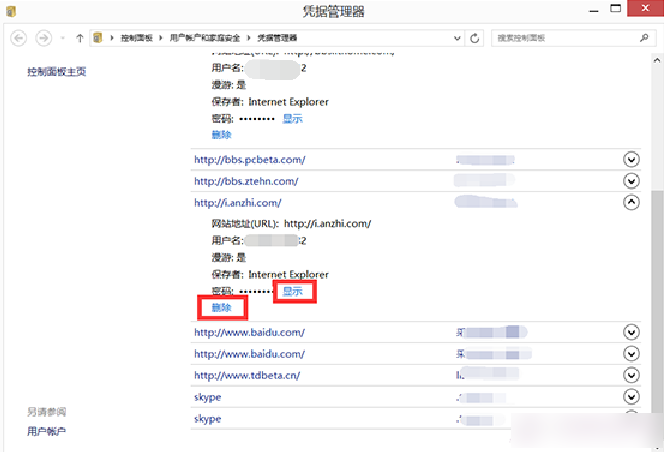
即可管理網頁儲存的帳號密碼。
Win10 桌面新增應用程式捷徑圖示(電腦、控制台、使用者檔案等)
Win10 預覽版 14959 重置安全性原則與群組原則完整指令教學
Win8.1 修復「無法連線到此網路」Wi-Fi 連線失敗五大方案
Win8.1 使用 IE 追蹤保護功能封鎖網頁廣告:自動封鎖閾值從 10 改為 3 完整教學
為何 Win10 被稱為「最後一版 Windows」?微軟轉型「Windows即服務」策略深度解析
Win10 SmartScreen 設定灰色無法修改?刪除註冊表 Enable SmartScreen 鍵值恢復控制權
Windows 10 Mobile 10512 安卓子系統嚴重受損:鍵盤無法彈出、返回鍵失效,唯一解方為降級至 10166