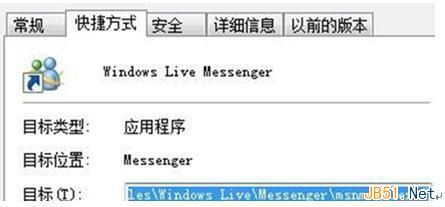
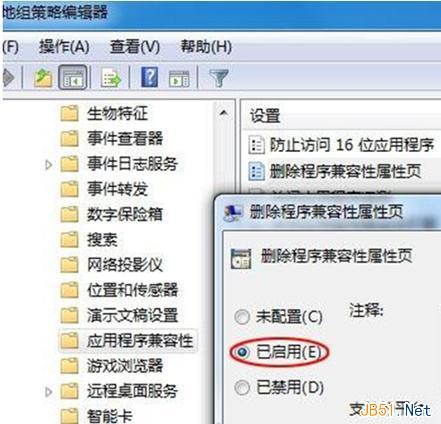
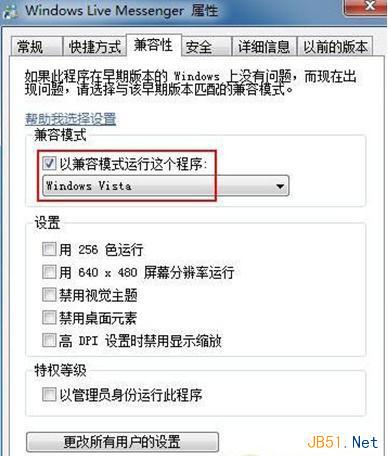
右鍵 .exe 選單缺少「相容模式執行」選項。因群組原則「刪除程式相容性內容頁」被啟用。恢復:
gpedit.msc
右鍵選單即恢復相容模式選項。
Win10 升級後 C 槽殘留 Windows.old 無法刪除?磁碟清理工具「清理系統檔案」一鍵移除
Win7 雙硬碟磁碟管理圖文教學:分區調整與空間分配實戰
Windows 7 攝影機黑畫面無法啟動?原因分析與驅動修復完整指南
Win10/Win8.1/Win7 無法識別 USB 裝置?三大解決方案完整攻略
Win10网页字体模糊不清?关闭IE/Edge GPU加速渲染恢复清晰
Win7/Win8 升級 Win10 免費嗎?微軟官方政策完整解析:Win8 免費、Win7 需付費 30 美元
Win7 64位重灌後找不到無線訊號?驅動遺漏與開關關閉兩大主因完整排查
Win7 修改 MAC 位址後無法還原?移除外接裝置並放電重開機即可恢復