微軟曾積極推送 GWX(Get Windows 10)升級提示,甚至觸發無訊息自動下載安裝。若堅持留在 Win7,可透過 本地群組原則編輯器 永久封鎖升級行為,僅限 Professional/Enterprise/Ultimate 版本可用。
gpedit.msc → Enter。Turn off the upgrade to the latest version of Windows through Windows Update)。若未來想升級,重複上述步驟將該原則改為「未設定」即可。
Win7 Home Premium 無 gpedit.msc,可嘗試:
HKEY_LOCAL_MACHINE\SOFTWARE\Policies\Microsoft\Windows\WindowsUpdate 新增 DWORD DisableOSUpgrade = 1。解決 Intel CPU 導致 Windows 8 螢幕無回應/當機:處理器電源管理設定
僅 3 天 Win10 成為全球第五大桌面作業系統:裝機量破 6700 萬、增長速度創微軟史上最快
Windows 10 關閉使用者帳戶控制 (UAC) 提示:啟用內建 Administrator 最高權限帳號
Windows 10 更新/應用商店錯誤 0x80072EFD:防火牆/防毒軟體阻擋網路連線排查
7/29 Win 10 正式版發布慶典:紐約受邀者可免費帶同伴參加
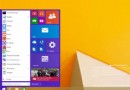
Windows 10 開始選單替代設計概念:類 Win7 佈局 + 扁平化風格,直接存取設定更實用