Windows 8 Modern 介面無法像傳統桌面右鍵查看檔案大小,但可透過「電腦設定」快速查看所有已安裝應用程式的磁碟佔用量,便於決定保留或移除。
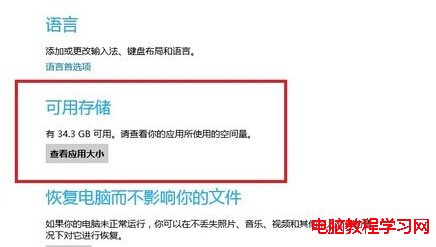
Charms 列 → 「設定」→「變更電腦設定」→「一般」。
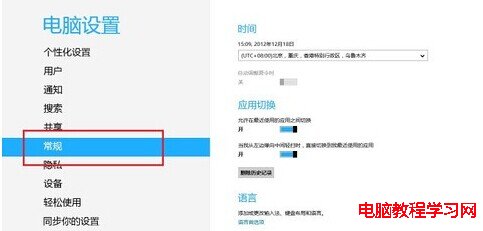
在「可用儲存空間」區塊點擊「查看應用程式大小」,即可看到各應用程式佔用空間排序清單。
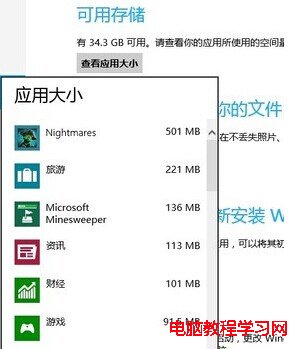
Windows Store 已超過 3 萬款應用程式,定期清理低使用率大型應用程式可騰出寶貴儲存空間。
Win7 玩 DNF 提示「圖形系統建立失敗」?DirectX 加速檢查 + 驅動更新雙管齊下
安裝 Windows 8.1 遇到 MBR/GPT 錯誤解決實錄:UltraISO 製作 UEFI U 盤與 diskpart 轉換完整流程
Win7 玩暗黑破壞神 2 無法全螢幕?修改登錄 Scaling 值強制全螢幕
Win7 關機不彈出「等待後台程式關閉」提示框:群組原則啟用自動終止功能
Windows 8.1 下載 Outlook.com 附件極慢 (<10KB/s) 排查方案:瀏覽器相容性、快取清理、Silverlight 更新