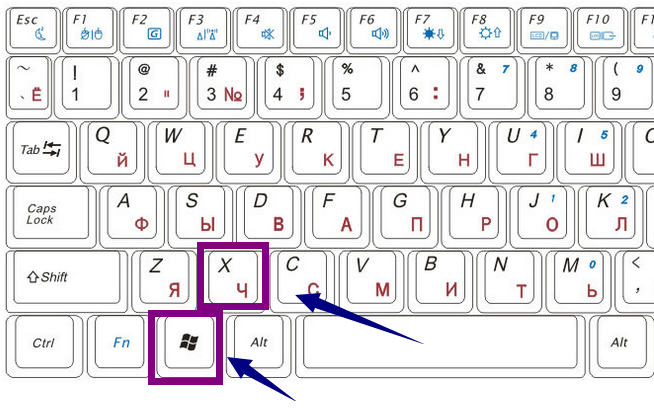
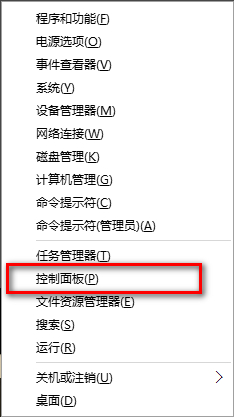
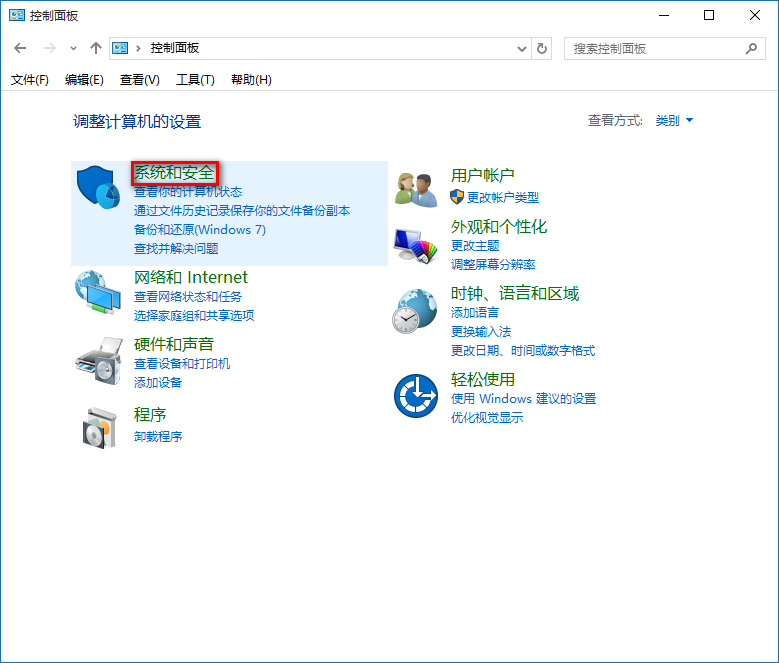
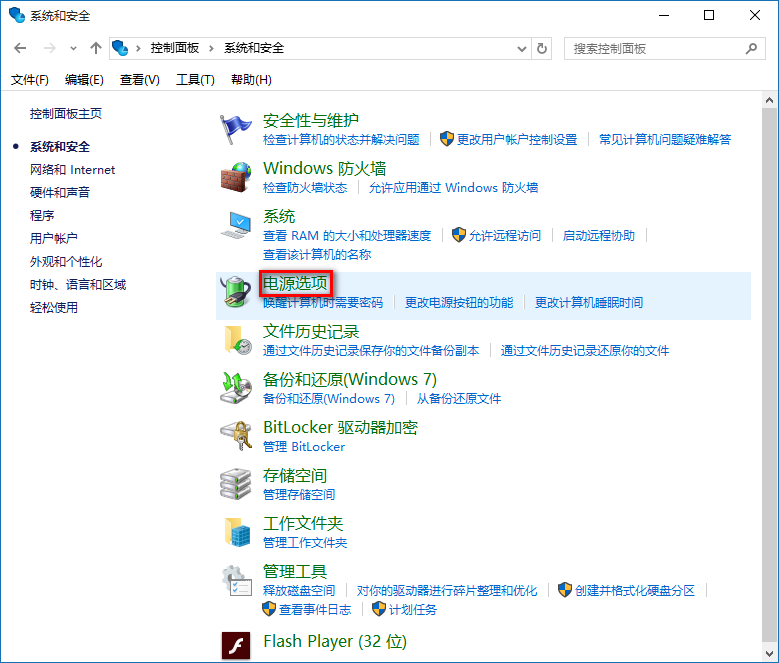
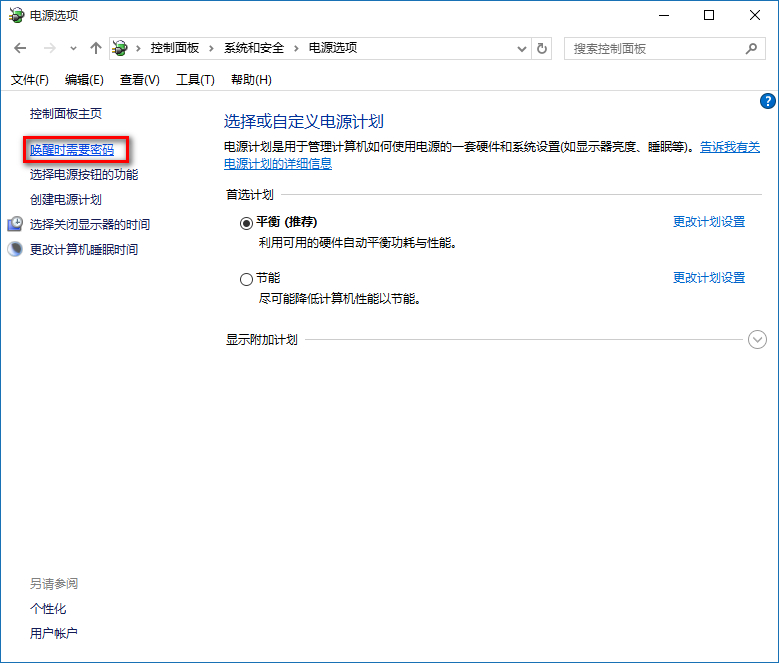
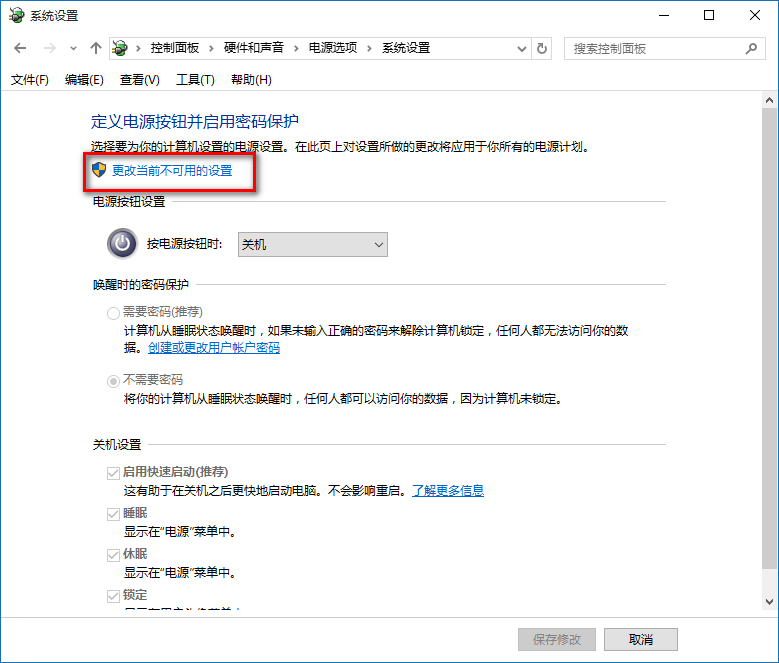
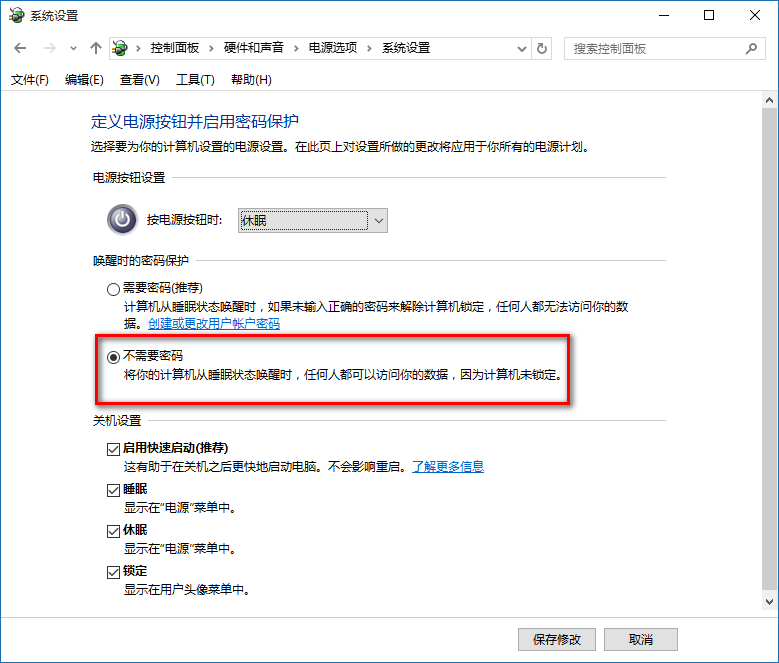
Win10 睡眠喚醒預設需輸入密碼,免密碼設定:
設定後睡眠喚醒直接進桌面,省去輸入密碼步驟,適合個人私人電腦。
Win10 禁止優酷客戶端右下角彈窗:建立同名空白可執行檔覆蓋原程式
Win10 Mobile 越獄解鎖部署成功:Lumia 920 實測視頻展示註冊表修改效果
Windows 8.1 如何快速關閉家庭組功能
Win7 桌面小工具啟用與停用完整教學:新增日曆/時鐘/CPU錶/天氣,一鍵顯示隱藏
Win10 關閉「Windows 安全性警示」彈窗?停用 SecurityCenter 服務或關閉防火牆
如何升級到 Windows 10 系統?升級遇到問題解決彙總含視頻體驗
Win8 系統故障排除:動作中心「還原」功能恢復穩定狀態
Win7 工作列只顯示圖示不顯示文字?一鍵設定「永遠合併、隱藏標籤」