Windows 8.1 的家庭組功能與 Windows 7 大同小異,主要用於區域網路內的檔案與資源共享。但不少用戶習慣使用第三方軟體進行共享,覺得家庭組反而多餘。若你也想徹底關閉此功能,只需幾個簡單步驟即可完成。
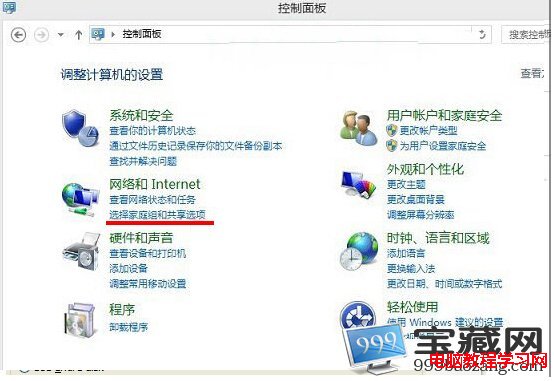
步驟 1:開啟控制面板
在 Win8.1 中進入「控制面板」,點選「選擇家庭組合共享選項」。
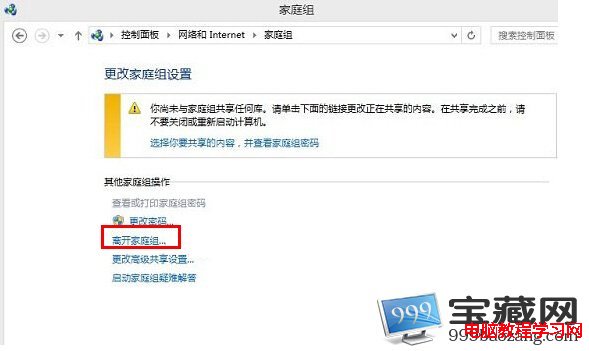
步驟 2:進入家庭組設定
於「家庭組」介面中,點擊「離開家庭組」(前提是你已加入某個家庭組)。
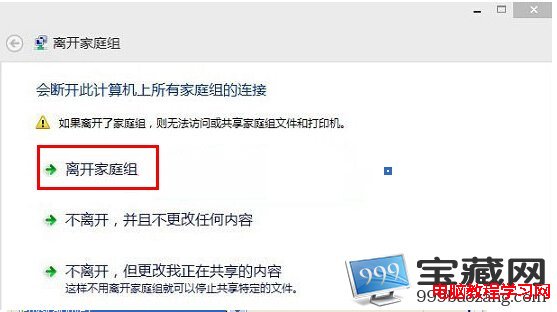
步驟 3:確認離開
在彈出的確認視窗中,再次點選「離開家庭組」。
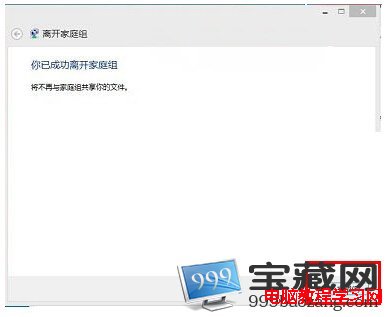
步驟 4:完成
系統顯示「你已成功離開家庭組」,之後將不再與該家庭組共享任何檔案。
以上即是 Windows 8.1 關閉家庭組的完整流程,操作直觀易懂,有需要的用戶可立即嘗試。