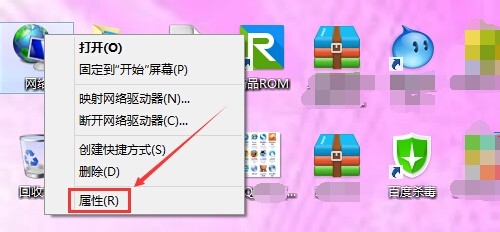
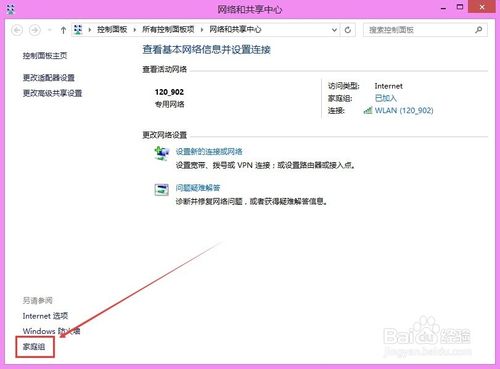
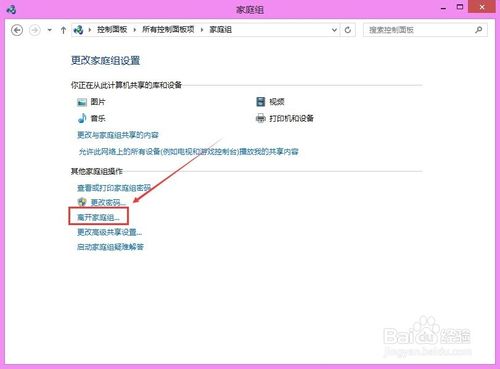
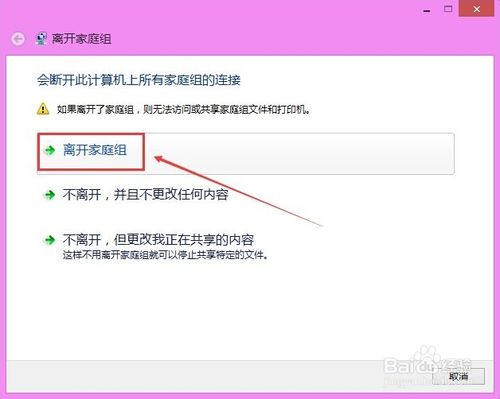
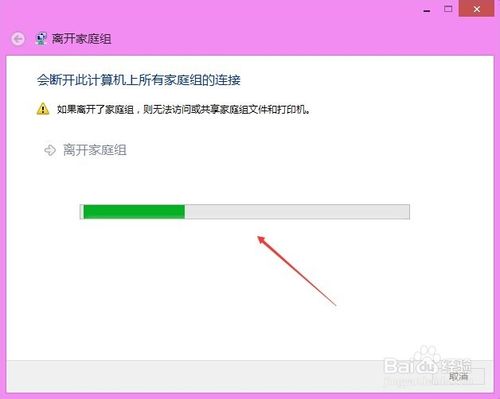
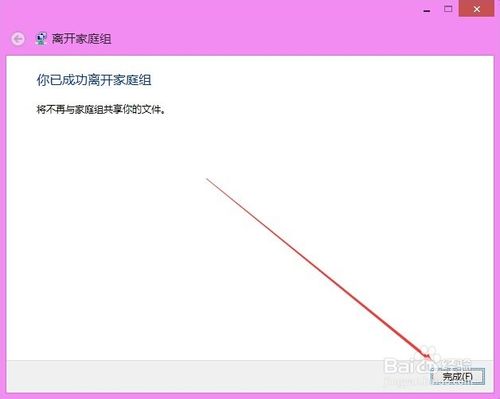
Win8.1 預設加入家庭群組,退出步驟如下:
離開後將無法存取或共享群組內資料夾與印表機。若需重新加入,同介面選「建立家庭群組」或「加入」。
Win10 Build 9888「電池節電模式」功能完善:可設定自動啟動門檻
Win7 Steam 更新失敗報錯「Steam needs to be online to update」?防火牆信任、刪除 ClientRegistry.blob、修復客戶端三步走
Win7提示IPv6無網絡訪問權限?兩大原因精準排查與修復指南
Win10 開機必須重啟才能輸入密碼?關閉快速啟動解決
Win7 資料夾權限設定圖解:進階安全性設定取得擁有權與完全控制
Win7 如何關閉硬體加速解決影片播放花屏?顯示卡設定調整或驅動面板關閉
Win7 開啟裝置管理員兩種快速方法
Win7 網路正常但網頁顯示不完整?清除暫存檔與調整快取空間