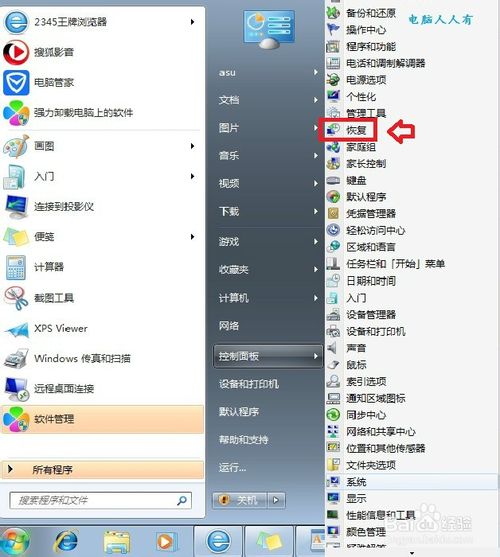
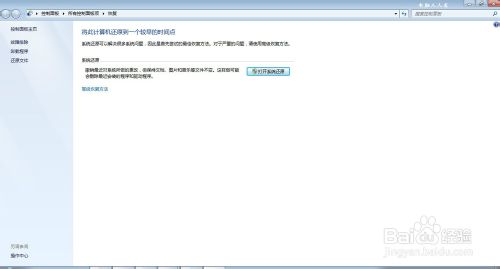
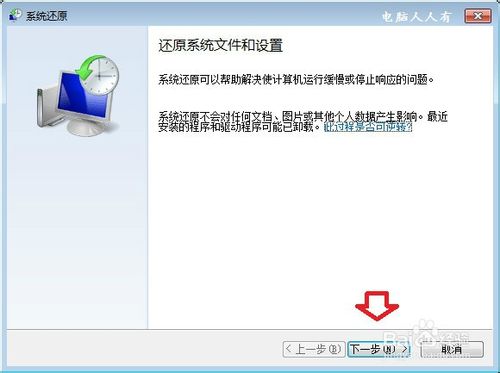
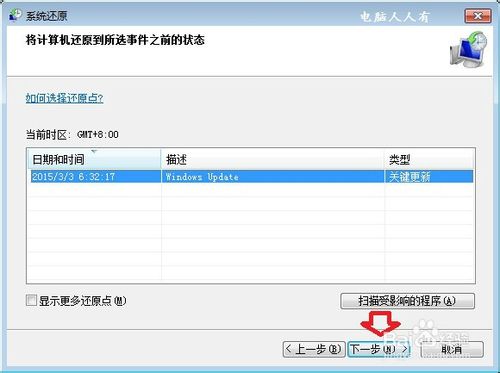
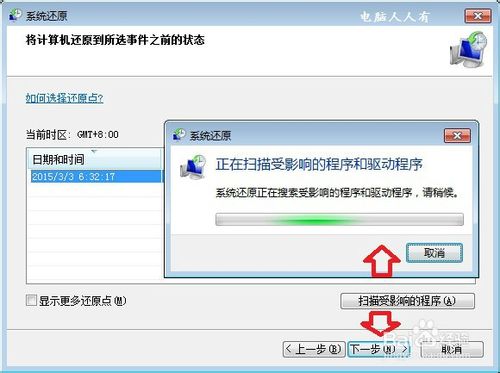
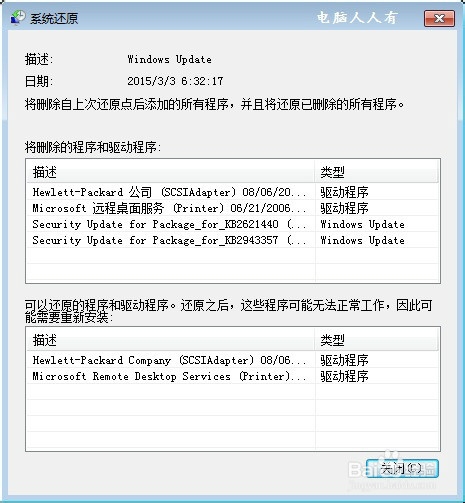
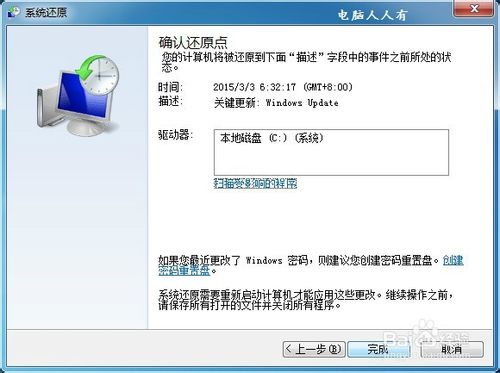
Win7 內建系統備份/還原功能,正版系統預設啟用自動備份。善用此功能可在系統異常時快速回滾,免去重灌之苦:
關鍵特性:僅備份系統檔、登錄、設定,**不動使用者個人資料**。裝驅動、打補丁前建立還原點,出問題時秒級回滾,極度實用。
Windows 字型檔 (.ttf/.otf) 安裝與管理完整教學
Win7 任務列鎖定程式失效與快捷方式小箭頭移除完整解決方案
Win10 將為觸控螢幕/觸控板帶來更精準多點觸控手勢:取代 Win8.1 邊緣手勢、擴展邊緣數位化器應用
IE 收藏夾批次整理技巧:像管理資料夾一樣管理收藏夾
升級 Win10 正式版後,還要繼續參加 Insider 預覽計畫嗎?風險與收益分析
Win10 更新觸控板驅動後 Fn 鍵失靈?兩種卸載 Synaptics 驅動修復法
Windows 10 快速查看顯示卡規格:DirectX 診斷工具一鍵搞定
Win8 開啟命令提示字元三大法:Win+X 管理員模式、Win+R 普通模式、Win+C 搜尋法