Win10 待機/合上蓋子導致網卡斷電斷網,影響下載任務,解法:
control.exe 開啟控制台。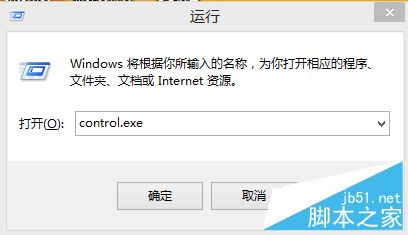
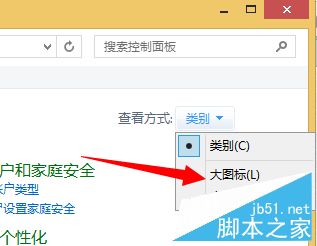
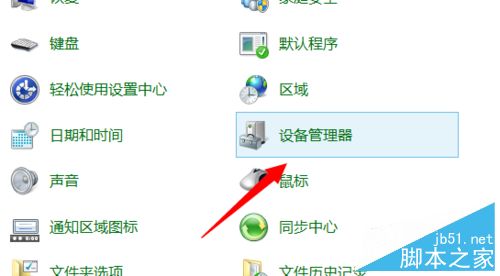
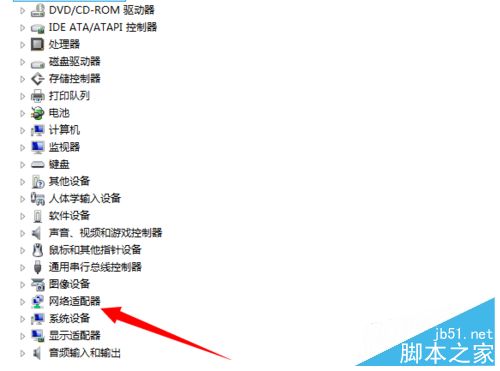
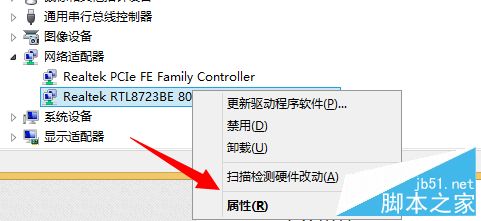
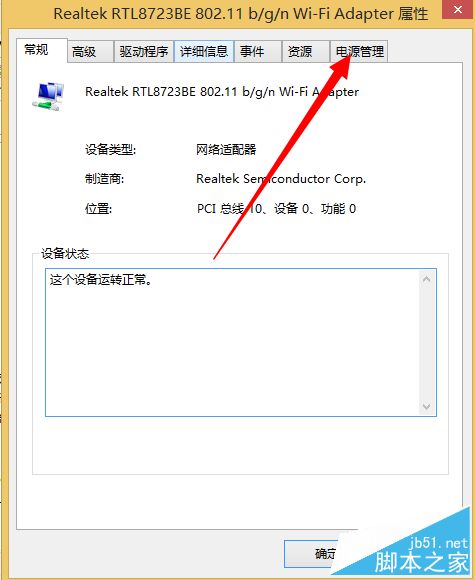
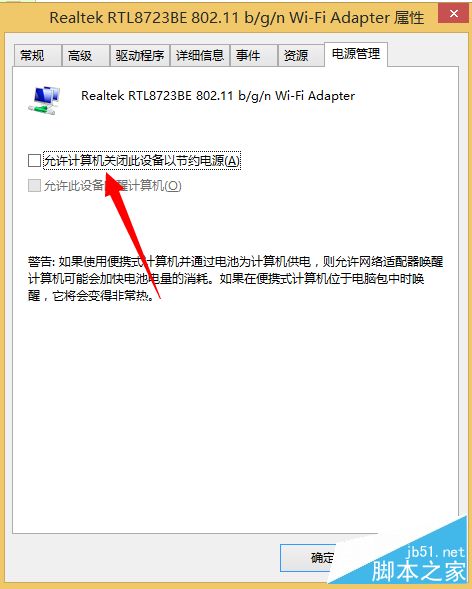
此設定讓網卡持續供電維持連線,適合長時間背景下載。
相關推薦: Win10 訪問國外網站需翻牆、專用/公用網路設定、小娜無法聯網、網路連線受限兩解法。
Win7 右鍵選單新增「複製到資料夾」「移動到資料夾」兩大神鍵:註冊表與 .reg 檔雙重做法
Win10 Build 10056 內建 Shazam 風格歌曲辨識功能:Cortana 整合音訊指紋辨識無需第三方 App
Win10 Build 9926 技術預覽版:普通用戶不建議安裝,三大痛點解析
Win7 手動檢查 Windows Update:解決長時間未自動更新、確認重要與選用更新
微軟向全體 Windows Insider 會員發送郵件通知:Win10 正式版發布
Windows 10 系統需求公布:1GB 記憶體即可升級,十年前老電腦也能跑