Win8 透過群組原則限制網速:
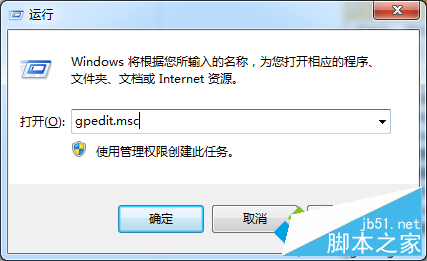
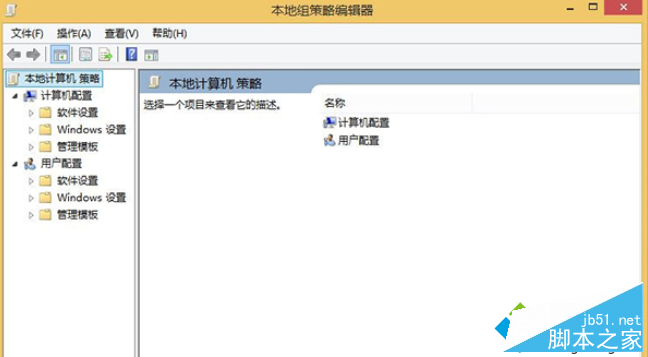
gpedit
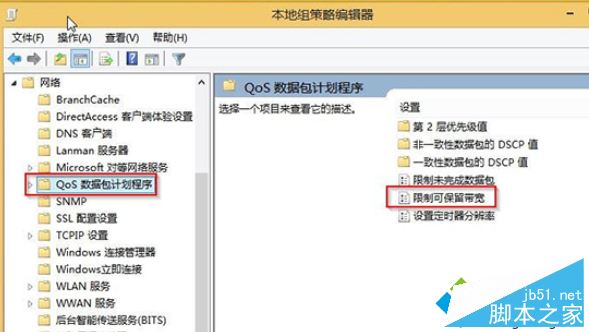
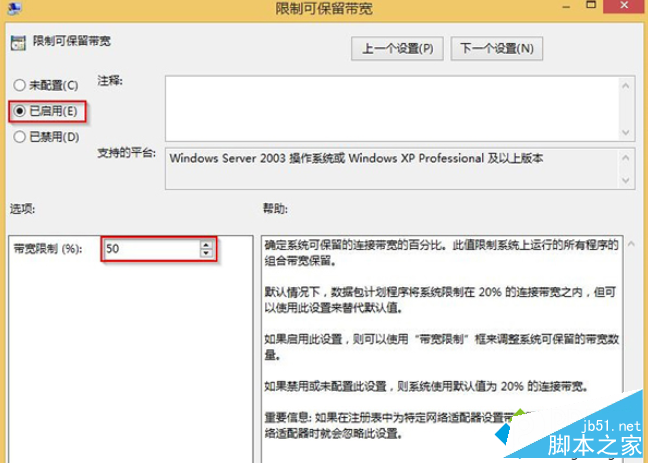
電腦設定 → 系統管理範本 → 網路 → QoS 封包排程器
此功能原為 QoS 保留頻寬設計,非硬性限速,若需嚴格限速建議使用專用軟體。
Windows 10 終身免費升級?實為設備支援週期 2-4 年免費更新
Win7 如何加快 USB 隨身碟傳輸速度?裝置管理員 → 原則 → 選「較佳效能」啟用寫入快取
Win8 設定滑鼠單鍵開啟資料夾教學
Win10 技術預覽版實用技巧五則:升級、備份、個人化、輸入法、映像還原
Windows 7 解除安裝程式教學:控制台「程式與功能」完整操作
Windows 8.1 「共用」超級按鈕:從右側邊欄快速分享檔案、連結、照片至人員/應用/裝置
Win10 TH2 10586 可用 Win7/Win8 序號直接啟動,重裝也能激活
Windows 7 應用程式錯誤:無法定位動態連結庫 user32.dll 上的 dwmhintdxupdate