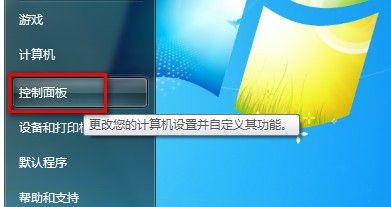
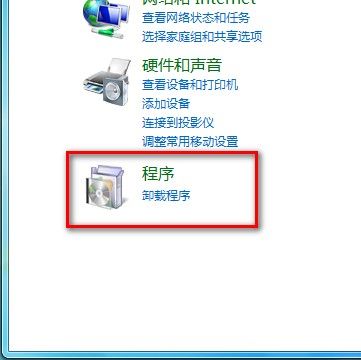
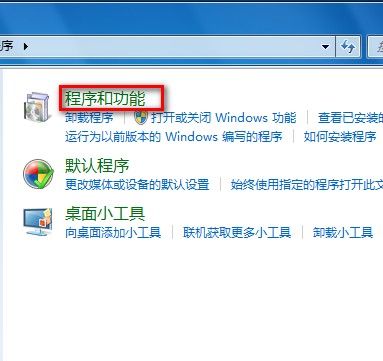
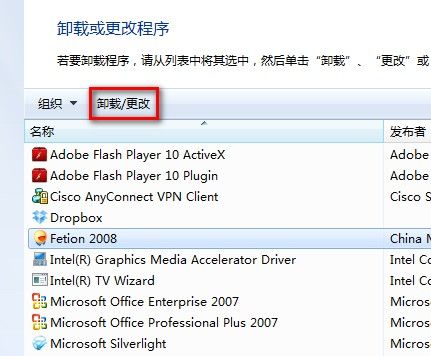
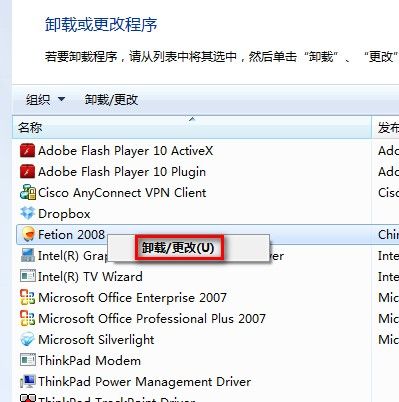
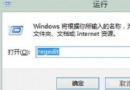
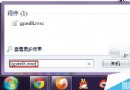
Windows 7 移除已安裝應用程式標準流程:
若程式未出現在清單,請檢查該程式安裝目錄是否有專屬 uninstall.exe 或參考官方移除教學。
uninstall.exe
Win8.1 Update 更新失敗(錯誤 80070020/80073712/0x800f081f)?DISM 兩指令修復教學
迎接正式版!Win10 預覽版官方 ISO 鏡像一天內下架
Win7 64 位元安裝 KB3038314 更新失敗 (錯誤 80092004) 臨時解決方案
Windows 10 Build 10240 專業版全新安裝與 KMS 啟用教學:批次檔自動化啟用流程
Win10 免費升級政策不包含企業版:長期服務分支(LTSB)與商務當前分支(CBB)雙軌服務企業客戶
DirectX 12 不支援 Win7/8!玩家需購買新顯卡才能發揮性能
盜版升級 Windows 10 後仍屬非正版,每小時黑屏一次?微軟詳細說明授權狀態與風險
Windows 8.1 無線網路「連線受限/無法連線」解決教學:取消節能模式允許關閉裝置