微軟推送 Build 10240(視為 RTM 候選),不再提供 ISO 舊金鑰失效。但可透過替代方案全新安裝並啟用。
W269N-WFGWX-YVC9B-4J6C9-T83GX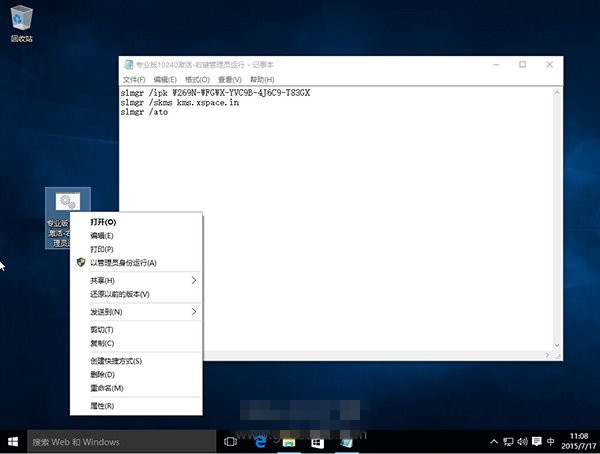
slmgr /ipk W269N-WFGWX-YVC9B-4J6C9-T83GX
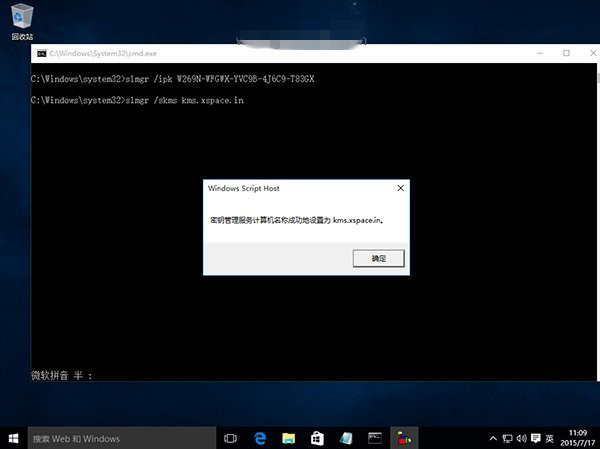
slmgr /skms kms.xspace.in
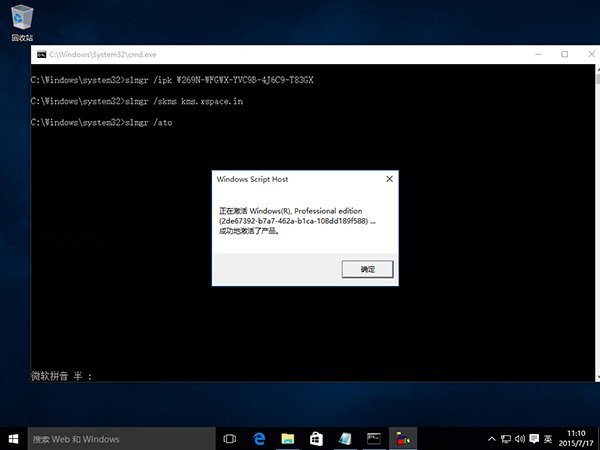
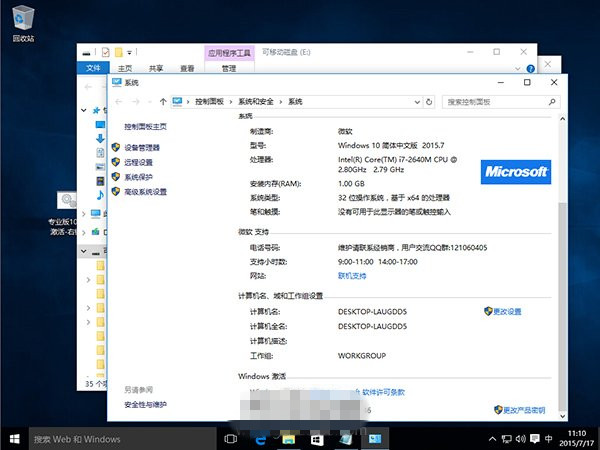
slmgr /ato.bat,右鍵→「以系統管理員身分執行」。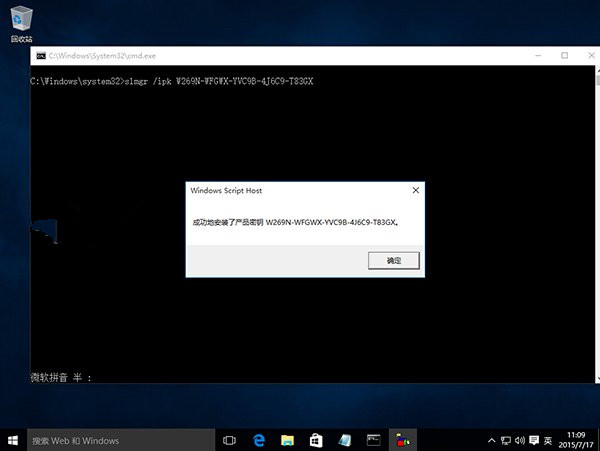
延伸閱讀:Windows 10 10240 RTM 企業版安裝啟用教學。
Win10 如何進入安全模式?兩大法:系統配置(msconfig)與 WinRE 恢復環境圖文詳解
裝完 Win10 變卡?微軟工程師親授:關閉透明效果一鍵加速,老電腦加記憶體換 SSD
Win10 安裝盤整合全版本與更新補丁製作教學(DISM++ 實戰)
Win7 內建截圖工具快捷鍵設定教學:無網路無法用 QQ 截圖時的最佳替代方案
Win8 安裝股票軟體出現亂碼?變更地區設定為簡體中文即可解決
Windows 7 建立 VPN 連線電話簿: 多條 VPN 統一管理、桌面捷徑、下拉選擇線路