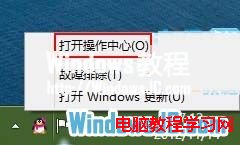
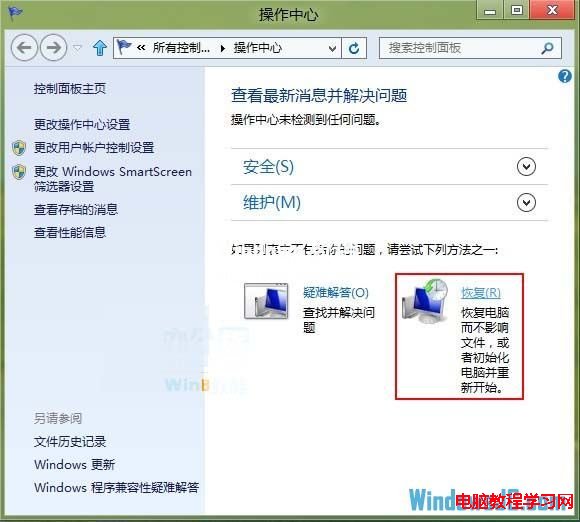
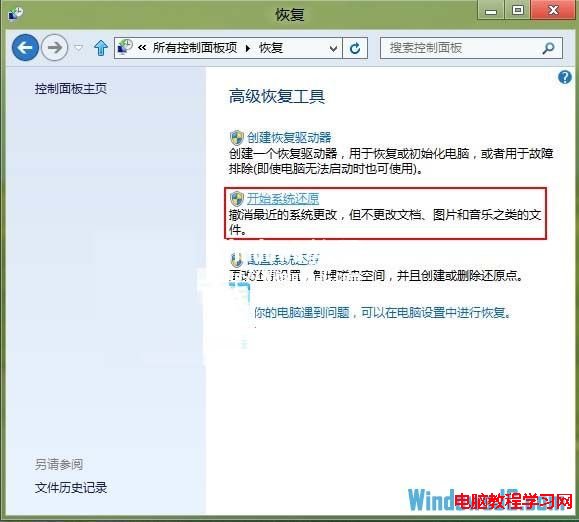
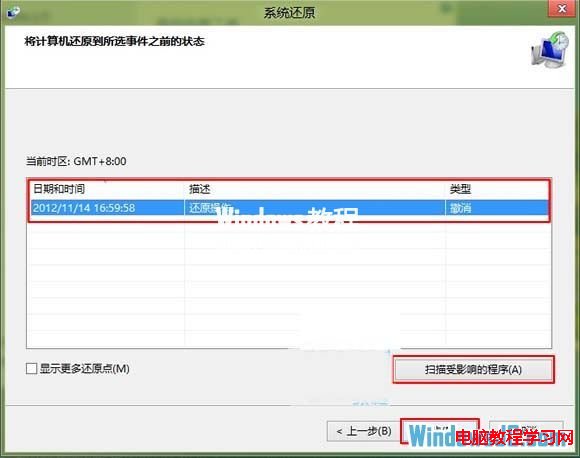
Win8 使用一段時間出現各種怪異故障,重灌太耗時。透過「動作中心」→「還原」→「開啟系統還原」選擇正常時間點的還原點,可快速將系統恢復至穩定狀態。
Win10 Redstone 14279 快速版修復內容匯總:Edge/小娜漫遊崩潰、剪貼簿刷新、升級藍屏等
Windows 10 如何關閉「固定鍵」功能?完整圖文教學
Win10 第五波累積更新 KB3081455 釋出:修復 7 項安全漏洞,功能性改進細節未公開
Win10 Build 10135 多國語言 ISO 鏡像下載(含 9 語言、三版本、僅 64 位元)
Win7 如何查看顯存大小?兩種方法圖文教學(dxdiag 與螢幕解析度)
Win8磁碟修復後D盤變RAW/0位元組拒絕存取?專業資料救援與修復指南
騰訊電腦管家升級 Win10 完整圖文教程:檢測、備份、安裝、回滾全流程
Win10 玩《英雄聯盟》卡頓、閃退怎麼辦?TGP 輔助+虛擬記憶體優化雙管齊下