預約升級後或不想升級,任務列右下角圖示礙眼?透過「通知區域自訂」隱藏即可。
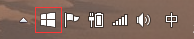
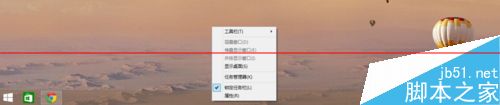
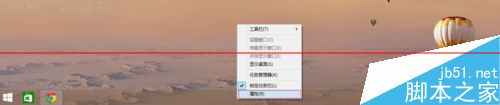
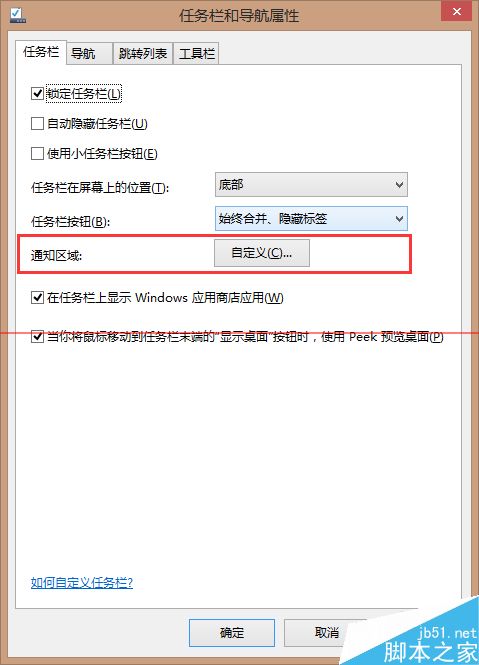
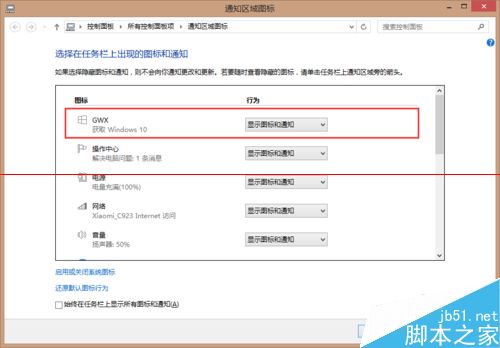
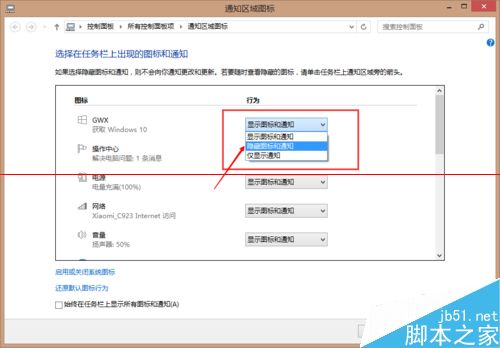
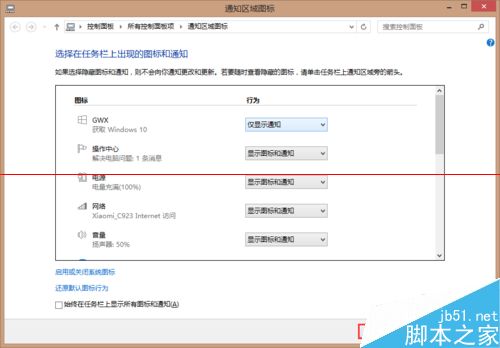

此法僅隱藏圖示,升級助手程式 (GWX.exe) 仍在背景運作。徹底移除請參考站內「解除安裝 KB3035583 + 刪除 GWX.exe」教學。
Win7 無法啟用 ReadyBoost?啟用 Superfetch 服務即可解決
Win7 筆電電源圖示消失不見解決方法:組態原則與通知區域雙重檢查
Windows 8.1 如何移除「這台電腦」中內建的使用者資料夾 (下載/音樂/圖片等)?登錄表刪除 NameSpace 鍵值
Win7 列印提示「無法儲存印表機設定 (錯誤 0x000006d9)」?啟用 Windows Firewall 服務即可解決
Windows 7 開機啟動項不執行?完整排查指南:權限、毒軟體、msconfig 失效全解析
Win10 如何禁用 USB 隨身碟?註冊表法與群組原則法兩種圖文教學