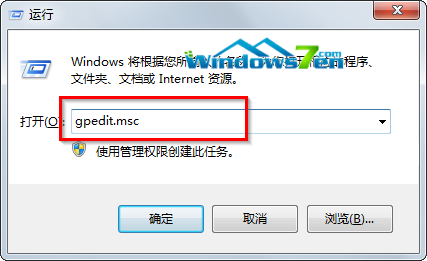
Windows 7 部分系統檔案擁有者為「TrustedInstaller」,即使管理員帳戶也無法直接刪除,需先取得所有權再授予完整控制權限。
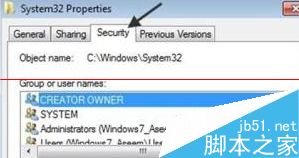
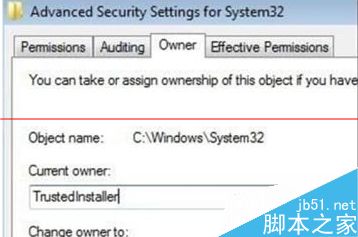
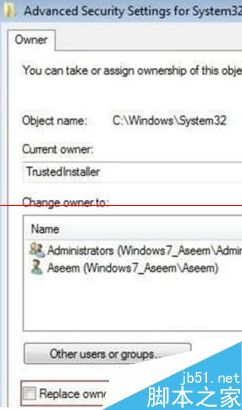
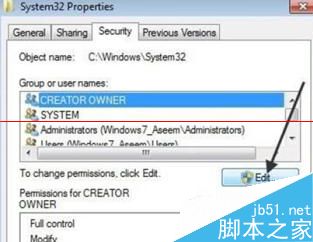
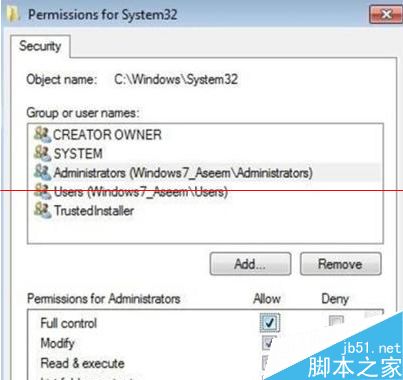
警告:修改系統檔案權限與刪除可能導致系統不穩或功能異常,僅在確知檔案性質(如殘留惡意軟體、舊版驅動檔)時操作,建議先建立還原點或備份系統。
Windows 10 查看系統體驗指數 (WEI) 隱藏功能:透過 Win32 版「遊戲」應用與 winsat formal 指令評分
Win10 Build 10056 開始選單電源鍵移回左下角、時鐘介面行動化:微軟根據用戶回饋調整 UI 細節
如何使用 USB 隨身碟安裝 Windows 10 系統?完整步驟圖文教學
UWP 應用整合 Cortana 完整指南:三種語音交互模式與設計準則
Win10 TH2 官方 ISO 突遭撤回:主因升級後四項隱私設定被重置,微軟修復後重新釋出 (KB3120677)
微軟 10 月安全更新:3 項嚴重級漏洞修補,含 IE 累積更新、.NET Framework、核心模式驅動程式