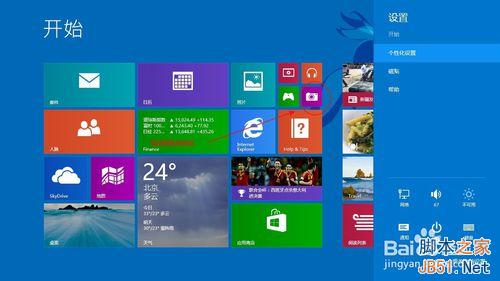
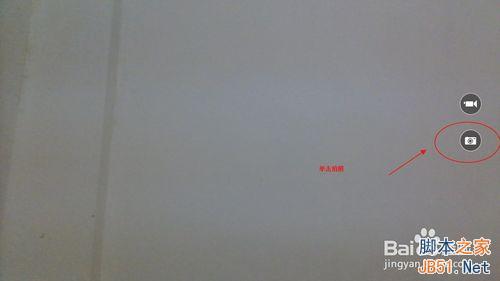
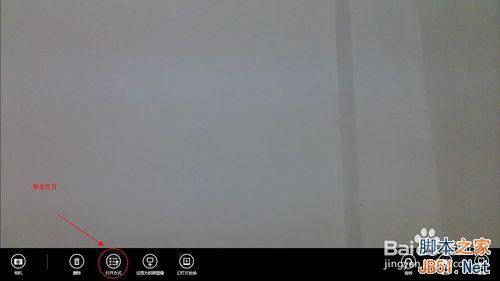
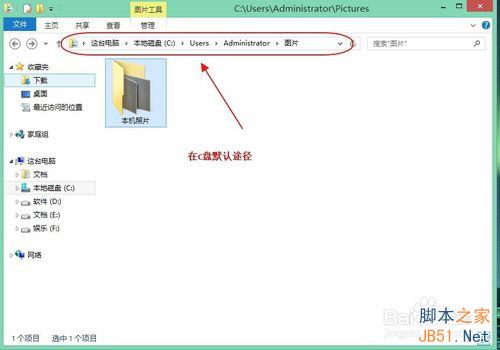
Windows 8.1 內建「相機」應用拍照後,檔案預設儲存於使用者圖片資料夾下的 Camera Roll 目錄。
C:\Users\<使用者名稱>\Pictures\Camera Roll
不同 Windows 版本或使用者名稱路徑略有差異,若找不到請搜尋 Camera Roll 資料夾。Win8.1 相機應用亦支援影片錄製,檔案同儲存於此目錄。
Camera Roll
Win8 部分網頁打不開/TPG 連線失敗?清除 DNS 快取或修改 hosts 檔修復
Win10 如何關閉補丁自動更新?僅限按流量計費連線可完整關閉
Win10 應用商店打不開/無法下載?四招修復教學
Win7 攝影機找不到圖示?建立捷徑固定到「電腦」/桌面快速存取教學
Windows 10 Build 9926 更新內容完整彙總:Cortana、新開始選單、Continuum、設定 App、無線投影、相簿、地圖、Beta 應用商店、Xbox、多語言、改進回饋
全新安裝 Win10 卡在「安裝程式正在啟動」?磁碟分區表轉 MBR 即可解決
Windows 7 內建虛擬無線網路:10 分鐘將筆電變身無線分享器
Win10 Edge 瀏覽器用戶可獲額外 Bing Rewards 積分 目前僅限美國地區