Win8 加入網域後,網域使用者 (如 user.group) 操作需輸入管理員認證,因未在本機 Administrators 群組。解決:將網域帳號加入本機管理員群組。
確認方法
- 電腦管理 → 本地使用者和群組 → 群組 → Administrators → 成員中無該使用者。
- Win+R →
cmd → net user user.group → 確認不在 Administrators。
操作步驟 (需管理員權限登入)
- 電腦管理 → 本地使用者和群組 → 群組 → 雙擊 Administrators。
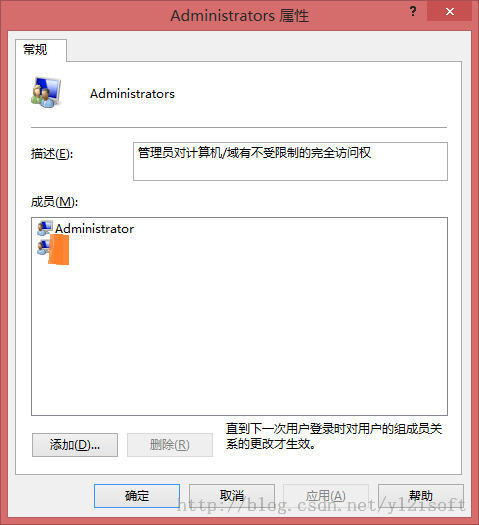
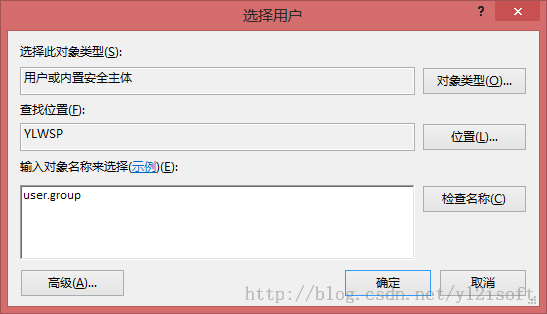
- 「新增」 → 輸入網域使用者名稱 → 「檢查名稱」 → 確定。
總結
net user 查看使用者資訊- 本地使用者和群組確認群組成員
- 控制台「使用者帳戶」可修改帳戶類型
- 電腦設定中可新增使用者