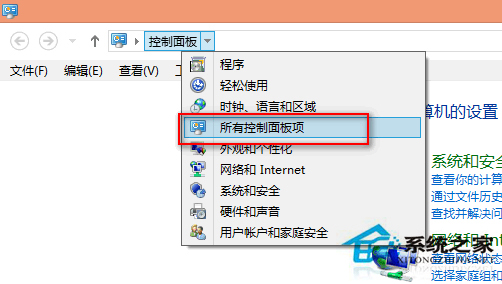
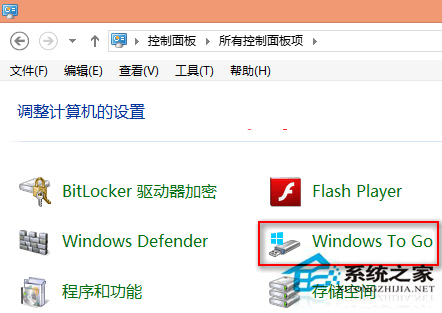
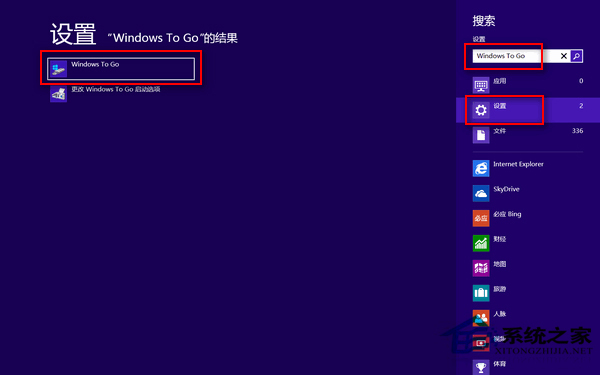
Windows To Go 讓 Win8 安裝至 USB 隨身碟隨身攜帶,**僅內建於 Windows 8 企業版**,專業版/標準版/RT 均無此功能。
此功能專為企業版用戶設計,一般用戶無法使用。
Win7 調整 CF 煙霧頭看穿濃霧,顯示卡設定 16 位色 + 遊戲亮度 50
Win7 滑鼠右鍵一直轉圈無回應?360 清理登錄與軟體解決
Win10 TH2 首個重大更新普遍 Bug:開機進入兩次啟動畫面導致速度變慢
Win10 升級完整問答:升級前必知的 9 大關鍵點
一行指令刪除 hiberfil.sys,釋放 C 槽數 GB 空間
Windows 10 Mobile 10066 安卓 APK 相容性測試清單:支付寶、QQ 輕聊版、微信無法登入、微博、知乎等可用
Win7 同時裝 VS 與 XAMPP 導致 80 埠衝突?登錄表修改 HTTP 服務啟動類型錯開
變更 Windows 8 電腦名稱