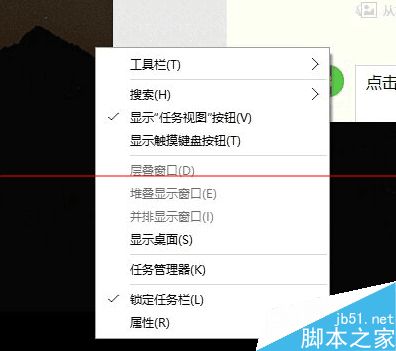
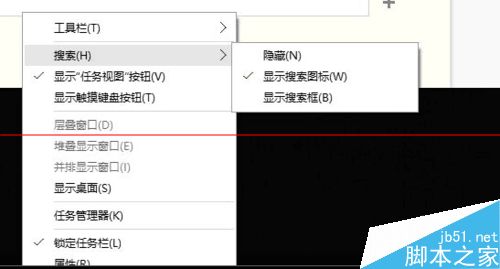
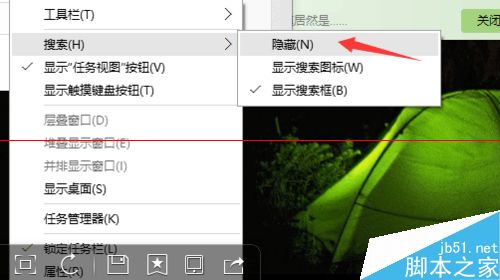
Win10 工作列預設顯示搜尋框佔空間,簡單兩步驟隱藏。
隱藏後僅保留搜尋圖示 (放大鏡),點擊即可喚出搜尋介面,騰出工作列空間。
相關推薦:Win10 TH2 正式版設定應用搜尋功能失效解決辦法
如何鑑別 Windows 7 是否為官方原版(OEM 正版)系統
Win8.1 Runtime Broker 進程能否停用?核心系統進程不可禁用,高佔用記憶體請檢查磚塊應用
Win8 ADSL 撥號錯誤 651 完整排查:從實體線路到介面卡啟用
Win7 工作排程器在哪?兩種快速找到並開啟方法
Win10 切換 Microsoft 帳號登入網路需求解決:手機熱點、USB 網路分享實測可行
Win10 正式版首次升級出現黑屏、卡頓怎麼辦?盜版升級真相揭秘
Win7 連不上電信 ChinaNet 熱點?DNS 手動設定與瀏覽器重置
Windows 10 虛擬記憶體最佳設定指南:手動配置釋放實體記憶體壓力