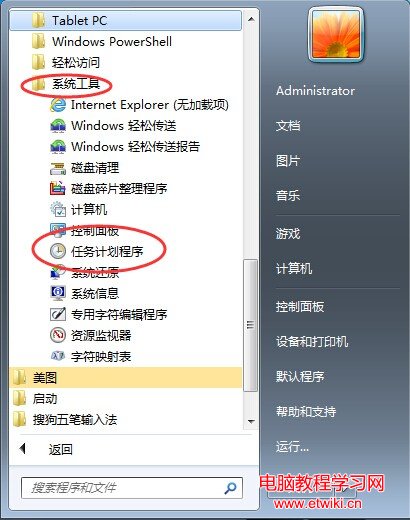
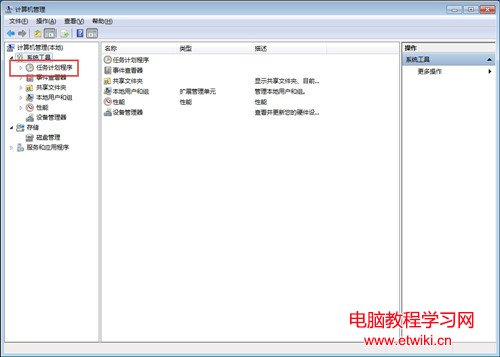
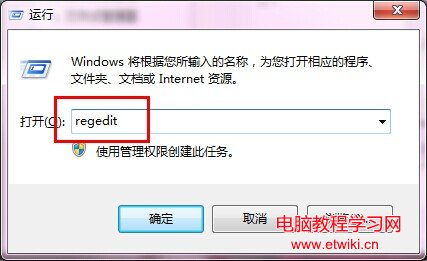
Win7 工作排程器可建立定時關機、定時啟動程式等自動化任務,位置如下:
開啟後可建立基本/進階任務,設定觸發條件(每日/登入/事件)、動作(啟動程式/傳送郵件/顯示訊息)、條件與設定。
Windows 8/8.1 移除 IE11 降級回 IE10 完整步驟
Windows 8 系統檔案損壞無法自動修復 DISM 修復教學
Win10 TH2 正式版硬碟安裝完整教程:軟媒魔方硬碟裝機一鍵部署單/雙系統
Ubuntu 系統移除已安裝軟體完整教學:以 MySQL Client 為例
Windows 7 開啟 D/E/F 槽彈出「Windows 檔案總管正在重新啟動」?三大故障面向排查修復
Windows 10 官方商城頁面上線:今夏正式發行、手機版延後、111 種語言支援
DiskGenius 格式化分區教學:NTFS/FAT32 選擇、叢集大小、壞軌掃描與 DOS 啟動盤建立
Windows 10 桌面版開發收尾,微軟全力轉向行動版系統優化