安裝網頁外掛提示「Windows 已阻止此軟體,因為無法驗證發行者」,調整 IE 安全性等級允許未簽署 ActiveX:
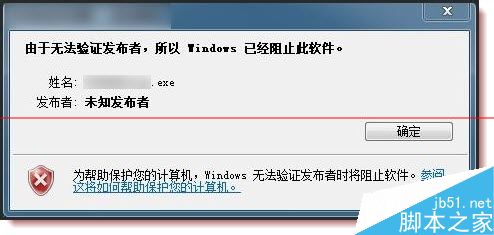
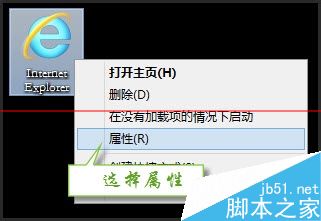
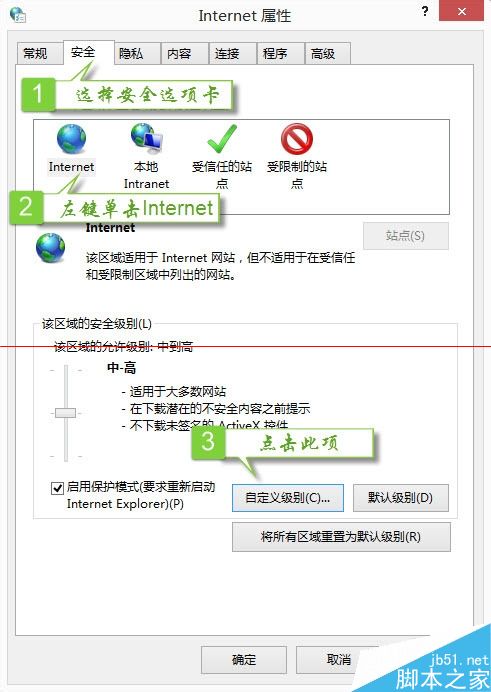
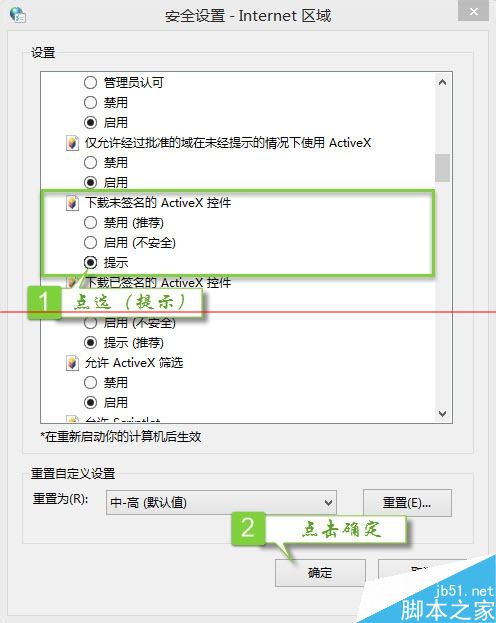
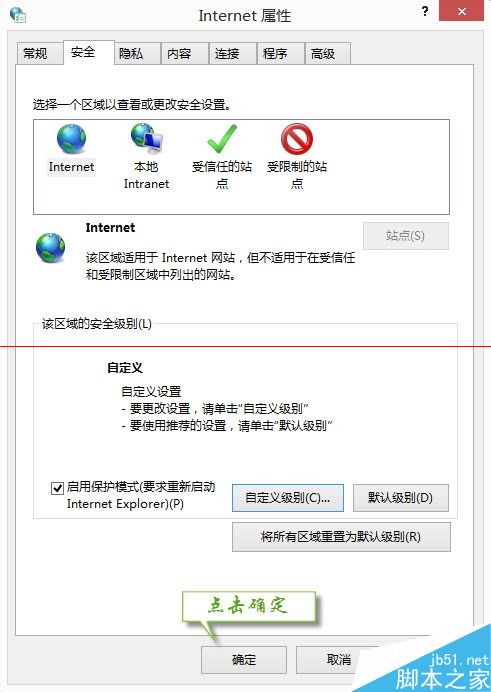
僅建議對信任網站執行,安裝完成後可改回預設等級以維護安全。
Win10 Mobile 正式版 10586.218 可持續更新,支援機型含 Lumia 920/925/1020/520 等舊旗艦
Win8.1 新建帳號無法開啟內建應用?修復 AppRepository 與 WinStore 目錄
Windows 系統下 USB 隨身碟圖示正常但無法開啟?掃描修復檔案系統錯誤、群組原則解除存取限制
Win10 統一應用商店 7/29 開業 開發者將獲最終版 UWP 平台
Win10 內建行事曆顯示農曆/干支曆?設定 → 行事曆設定 → 備用行事曆啟用中文農曆,或裝「軟媒時間」任務列顯示農曆天氣