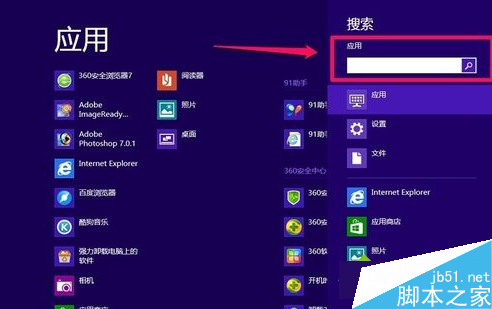
Win10 預設啟用 Edge,但許多網銀、政府網站仍需 IE。IE11 實際內建於系統,只是被隱藏。以下教你啟用 IE11 並建立快速存取路徑。

啟用 IE11 步驟
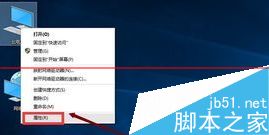
- 桌面右鍵「這台電腦」→「內容」。
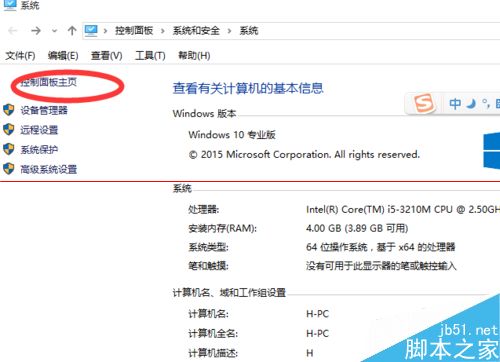
- 點擊「控制台首頁」。
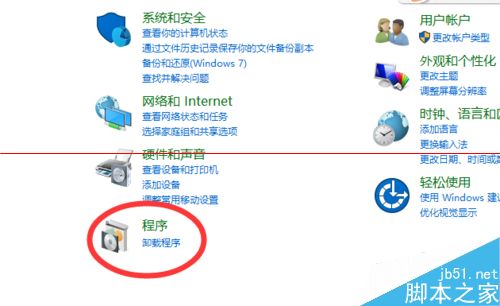
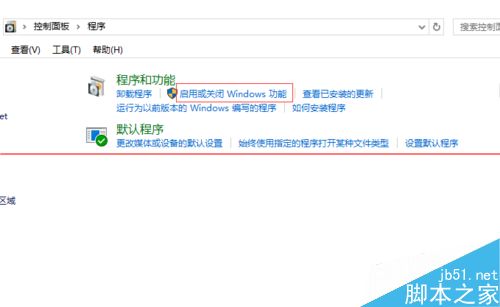
- 選擇「程式集」。
- 點擊「啟用或關閉 Windows 功能」。
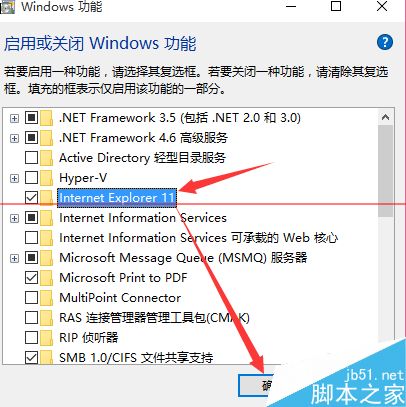
- 勾選「Internet Explorer 11」→ 確定 → 重新開機。
快速開啟 IE 的兩種方式
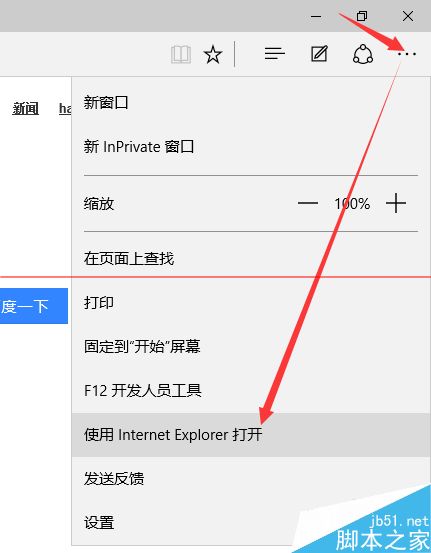
- 從 Edge 開啟:Edge 右上角「...」→ 「以 Internet Explorer 開啟」。
- 建立捷徑:開始 → 所有應用程式 → Windows 附屬應用程式 → Internet Explorer → 右鍵「釘選到工作列」或「傳送到桌面建立捷徑」。
延伸閱讀
- Win10 桌面如何新增 IE 圖示?
- Win10 如何將預設瀏覽器設為 IE?
- Win10 10074 預覽版如何開啟 IE?
- Win10 內建雙瀏覽器:Spartan (Edge) 與 IE 共存