Windows XP Windows 7 Windows 2003 Windows Vista Windows 綜合教學 Linux 系統教學
Windows 10 Windows 8 Windows 2008 Windows NT Windows Server 電腦軟體教學
您现在的位置: Windows教程網 >> Windows教程 >  >> Windows 綜合教學 >> 關於 Windows

Windows 7 升級 Windows 10 後 Office 2013 檔案無法開啟解決方案

編輯:關於 Windows

升級 Windows 10 後,原本 Office 2013 建立的 Word、Excel、PowerPoint 檔案無法開啟,提示錯誤訊息。實為 Office 2013 相容性問題,非檔案損毀。
錯誤現象

  • Word:嘗試開啟檔案時發生錯誤
  • Excel:檔案有問題無法開啟
  • PowerPoint:應用程式無法正確啟動/發現檔案問題/無法讀取檔案

解決方法一:修復安裝 Office 2013

使用 Office 2013 光碟或 ISO 掛載(可用「軟媒魔方」虛擬光碟機) → 雙擊 setup.exe 選擇修復。
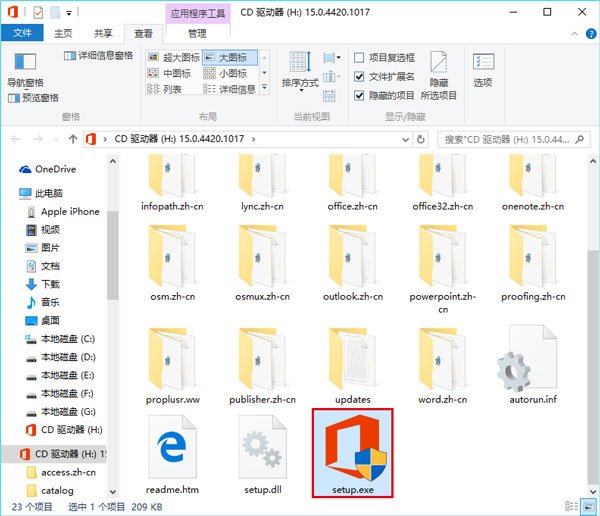
▲ 雙擊 setup.exe 執行 Office 2013 安裝程式修復

解決方法二:命令提示字元修復權限(無光碟/ISO 適用)

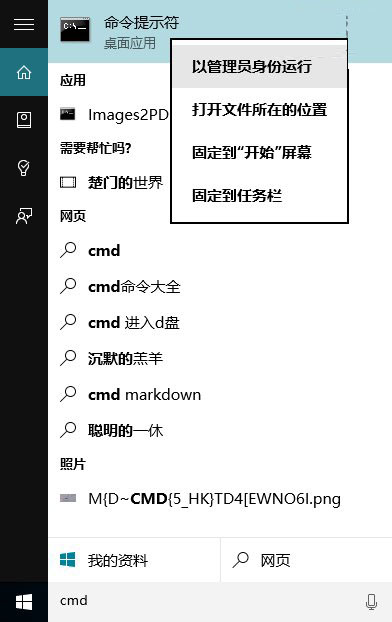
  1. Cortana 搜尋 CMD → 右鍵「以系統管理員身分執行」。
  2. 輸入以下指令按 Enter:
    icacls "%programfiles%\Microsoft Office 15" /grant *S-1-15-2-1:(OI)(CI)RX
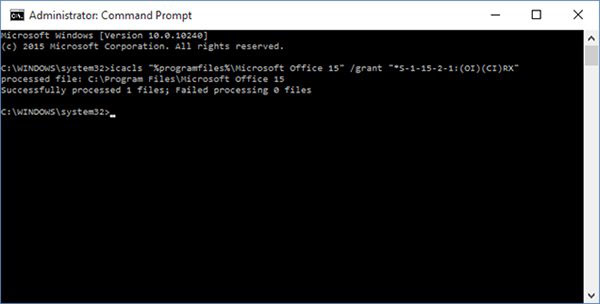
  3. ▲ 指令執行後提示成功處理 1 個檔案,失敗 0 個

指令成功執行後無需重開機,問題即可修復。

Copyright © Windows教程網 All Rights Reserved