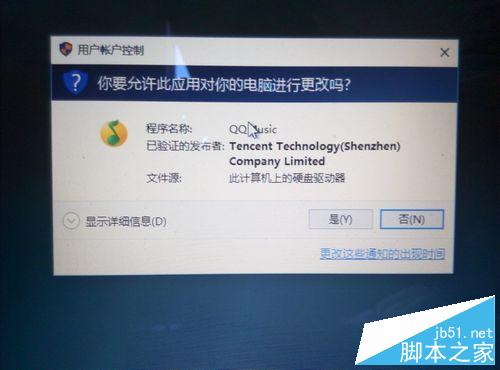
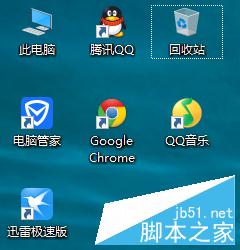
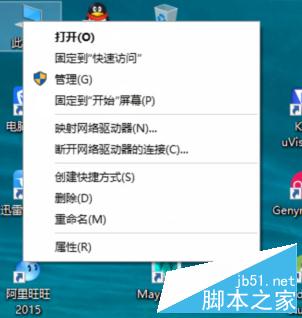
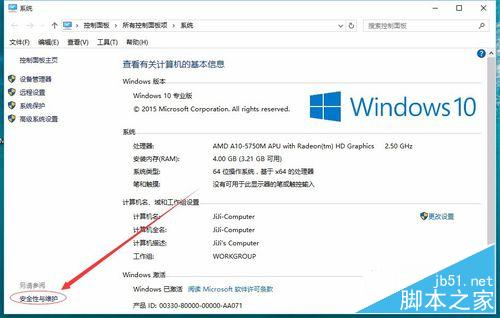
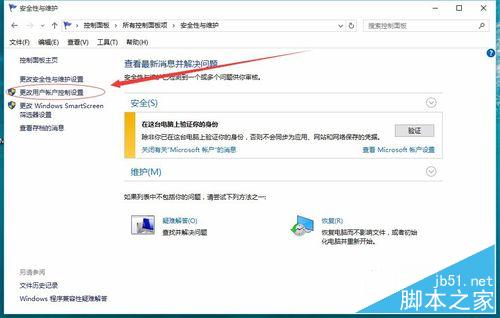
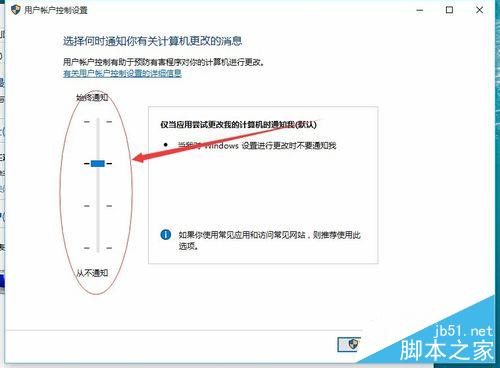
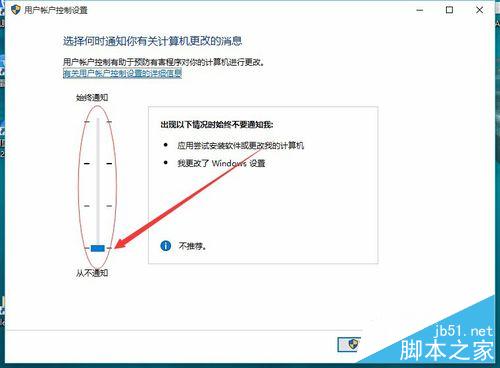
UAC (User Account Control) 是 Vista 起引入的安全機制,執行影響系統操作時需授權。提示頻繁令人厭煩,以下教學關閉 UAC。
操作簡單,依步驟執行即可關閉 UAC 提示。
Win10 電源選項完整設定指南:螢幕、睡眠、硬碟、USB、亮度等進階調整
安裝 Windows 8.1 遇到 MBR/GPT 分區表錯誤解決實錄:UltraISO 製作 UEFI 啟動 U 盤完整教程
Win10 音量忽大忽小?兩步驟修復聲卡驅動解決
Windows 10 自訂鎖定畫面背景圖片與幻燈片播放設定教學
Windows 7 連接列印伺服器完整設定教學(TCP/IP 連接埠 + LPR 協定)
Windows 10 build 10240 再收安全更新 KB3074683
Win7 內建驅動安裝 HP LaserJet 5200LX 印表機:十一步驟圖文完整教學
微軟 Windows 10 官方中文宣傳片翻譯慘不忍睹,網友自製版本更通順