Win10 Mobile 透過 Project Astoria(安卓子系統)與 Project Islandwood(iOS 移植工具)兩大專案,打通 Android 與 iOS 應用移植管道。本文整理可靠技術解釋,釐清「相容」與「移植」差異。
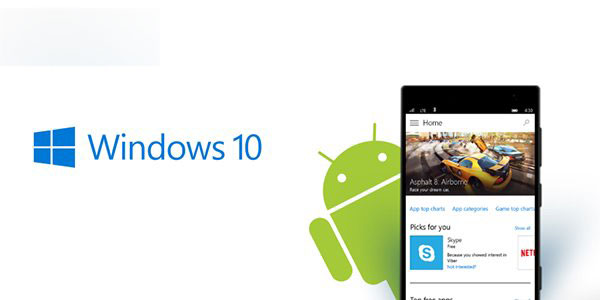
Project Astoria:Android 應用相容層
- 內建 Android 相容子系統,可透過 ADB 工具在連接電腦狀態下直接安裝 APK。
- 理論上預覽版可直接執行 Android 應用,但流暢度需開發者適配優化;含 Google Play 服務的 App 會自動轉向 Microsoft 服務。
- APK 重新封裝為 Appx 本質相同,差別在於安裝方式:APK 需電腦連線,Appx 可在開發者模式下手機端直接部署。
- 僅限 Win10 Mobile(ARM 架構),桌面版 Win10 無法使用,非 UWP 應用。
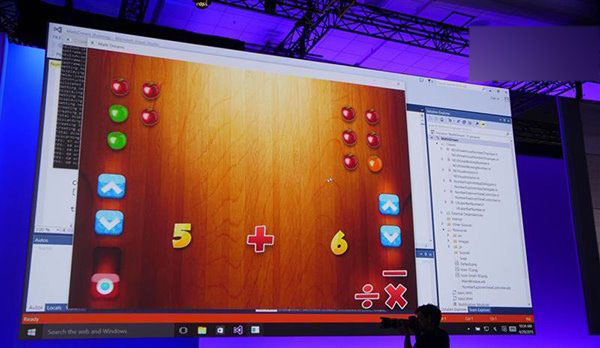
Project Islandwood:iOS 應用移植橋樑
- 屬真正意義上的「移植」:需將 Xcode 專案匯入 Visual Studio 2015,透過內建 Objective-C 編譯器重新編譯,並將 iOS API 映射至 Windows API。
- 目前尚不支援 Win10 Mobile ARM 架構,僅支援 Windows 8.1 及 Win10 x86/x64。
- 工具尚不成熟(缺少標頭檔、API 映射不全),但已大幅降低移植門檻。
- 移植後應用屬 UWP(通用 Windows 平台),可同時適配桌面版與手機版(如《糖果粉碎傳奇》)。
微軟期望雙專案消除生態系鴻溝,但實際成效仍待觀察。以上討論僅基於目前 Win10 Mobile 預覽版狀態。