Win7 開始選單關機按鈕消失,通常是群組原則「刪除並阻止存取關機命令」被啟用所致。透過 gpedit.msc 關閉該設定即可恢復。
gpedit.msc 開啟本機群組原則編輯器。使用者設定 → 系統管理範本 → 開始功能表和工作列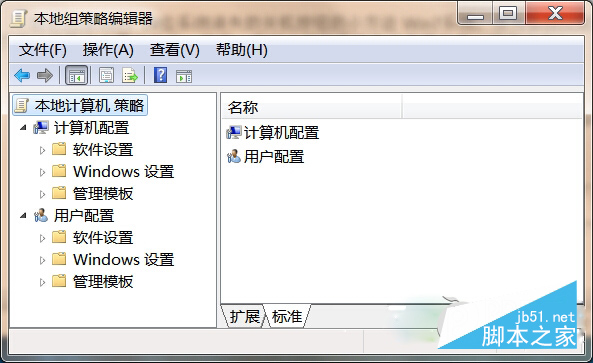
適用版本: Win7 專業版/企業版/旗艦版(家用版無 gpedit.msc,需改用註冊表修改 HKEY_CURRENT_USER\Software\Microsoft\Windows\CurrentVersion\Policies\Explorer\NoClose 設為 0)。
Win10 UWP 版 VLC 更新:修復死鎖、黑屏、SD 卡掃描、縮略圖、媒體庫索引等多項 Bug,重返行動裝置平台
Win7 的麥克風沒聲音?完整設定圖文教學:從控制台到錄音裝置屬性一步到位
Windows XP 虛擬機安裝 Ubuntu 14.04 透過 Samba 實現檔案共享完整實錄
Win10 鎖定螢幕兩大法:快捷鍵 Win+L / 開始功能表帳號選單
微軟官方澄清:CMD命令提示符不會被PowerShell取代,將長期共存作為Windows核心組件
Win10 系統崩潰怎麼辦?「重置這台電腦」保留檔案/全新安裝兩大選項完整教學