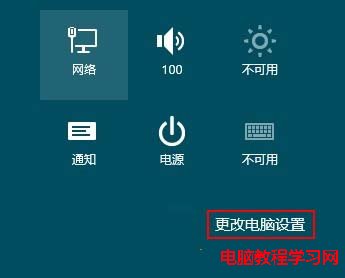
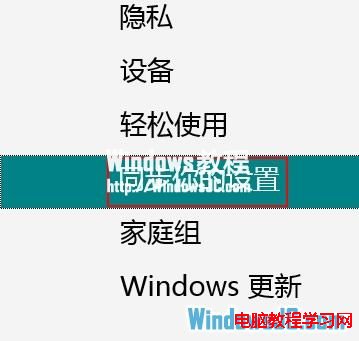
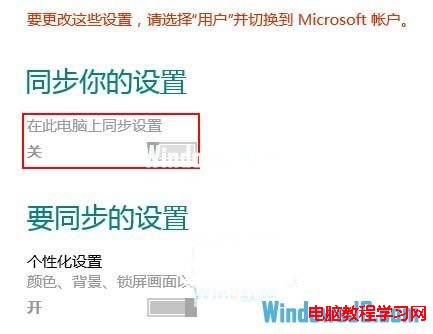
Win8 同步功能需使用微軟帳戶登入才啟用,本地帳戶無此功能。擔心重要檔案自動上傳雲端?可手動關閉:
一般正常操作不會隨意上傳檔案,但關閉同步更安心。
Win10 全新 NEON UI 界面曝光:統一設計語言終結系統碎片化
Win7 自訂鍵盤快速鍵啟動程式完整教學(以 QQ 為例設定 Ctrl+Shift+Q)
Win10 10586.63 累積更新安裝失敗?關閉第三方防毒或乾淨啟動後重試
Windows 10 第三方主題包 Numix 下載:暗色風格極致體驗
禁止 Windows 7 自動安裝驅動程式:兩種方法停用裝置驅動自動安裝
Win10 週年更新 14352 上手體驗影片:新圖示、Cortana 整合、Windows Ink 改進、便利貼關聯版面
Win7 提示記憶體不足但實際尚多?啟用虛擬記憶體自動管理解決
Win10 10240 升級 10586 圖文實測教程:手動檢查更新、失敗重試、升級後驗證啟用