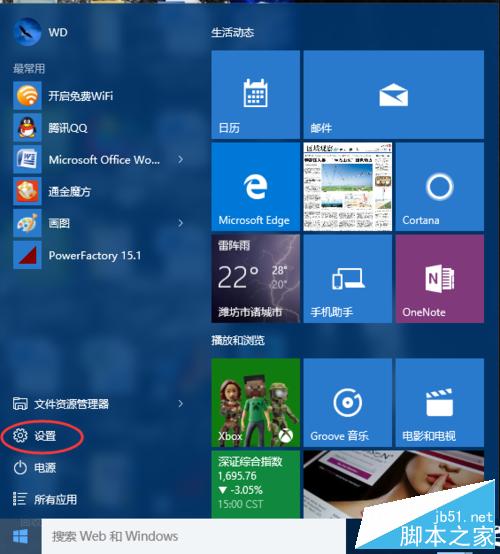
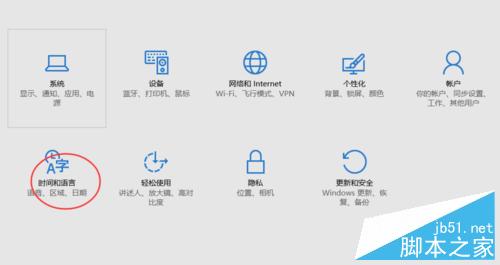
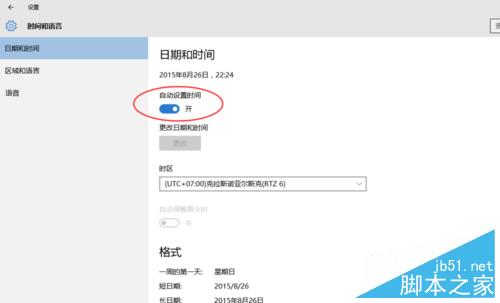
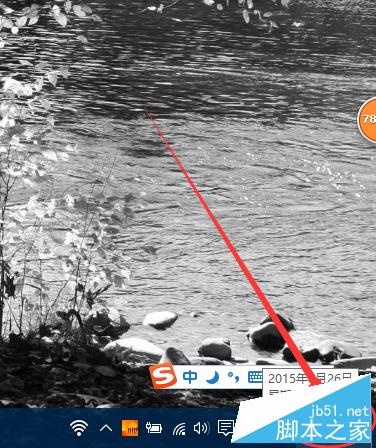
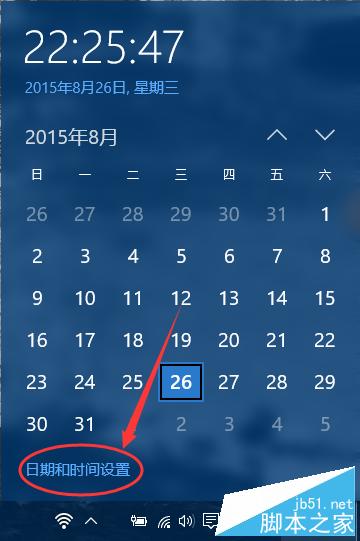
Win10 升級後時間不準?可啟用自動同步:
簡單兩步,系統時間永遠精準同步。
Win7 純淨版雙擊無法開啟 TXT 文字檔?重新關聯記事本程式修復
Win10 企業模式升級支援 Edge:讓舊版網站自動切換 IE 相容,Edge 仍為預設瀏覽器
Win8 查看無線網路流量使用情況:工作列網路圖示四步驟即時掌握
U啟動 U盤裝 Win7 藍屏?BIOS 將硬碟模式改為 AHCI 即時解決
Win8 手機資料線連電腦沒反應?完整排查與解決教學
Win10 筆電「已接通電源,未充電」怎麼辦?六大排查方向完整指南
Win10 小娜 (Cortana) 反應慢?關閉線上搜尋大幅提速
Windows 10 行動裝置如何錄製慢動作影片?WinHEC 曝光相機新功能支援可變幀率