Windows PowerShell 是命令行外殼與腳本環境,Win7 中兩種打開方式:
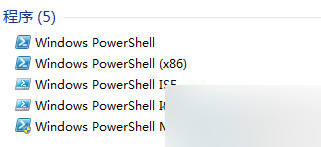
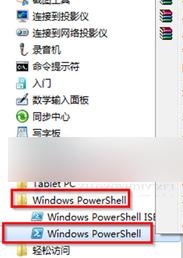
按習慣選擇任一方式即可快速啟動。
Win10 Mobile 10536.1004 非官方更新內容彙總:USB EEM 開關、開始畫面背景選項、Edge HTML5 得分 439、相片應用大更新
Win10 Mobile 生命週期至 2019 年 1 月結束,紅石大更新在路上
Win10 升級 10049 版本完整實測:下載、安裝、耗時、空間需求全記錄
Windows 8.1 內建掃描功能在哪裡?透過「裝置和印表機」使用印表機掃描文件/圖片
WinXP 修改副檔名導致檔案無法開啟?啟用「隱藏已知檔案類型副檔名」即可解決
Win10 應用商店更新錯誤 0x80073D02?清除 SoftwareDistribution 下載快取並重啟 Windows Update 服務