Windows 7 支援四種螢幕旋轉模式,適合旋轉式螢幕、平板裝置或特殊安裝需求:
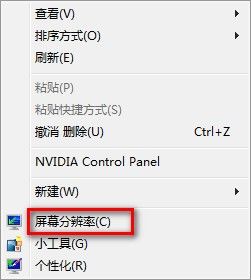
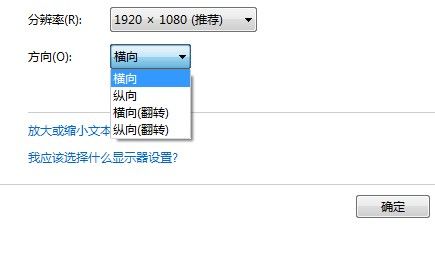
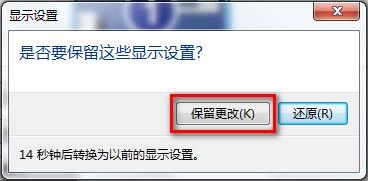
若誤選錯誤方向導致操作困難,等待 15 秒系統自動還原。
Windows 10 寬帶連線錯誤 813 根治方案:關機批次檔自動斷線再關機
如何使用 U啟動 Win8PE 系統備份電腦驅動程式完整圖文教學
Win10 虛擬桌面在不同桌面開啟同一應用程式?Shift+點擊或右鍵選單「開啟新視窗」
Win10 Mobile 10536.1004 更新與修復內容完整彙總:Insider Hub 回歸、單手模式全機型開放、照片應用大改版、單跳升級
Win10 10056 升級 10061 完整解決方案:註冊表修改 + 服務重置 (含程式碼區塊)
USB 隨身碟安裝 Win10 預覽版完整圖文教程(支援 UEFI/BIOS 雙模式)