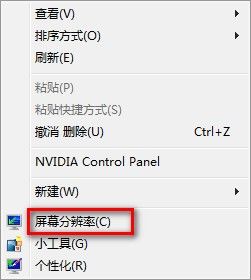
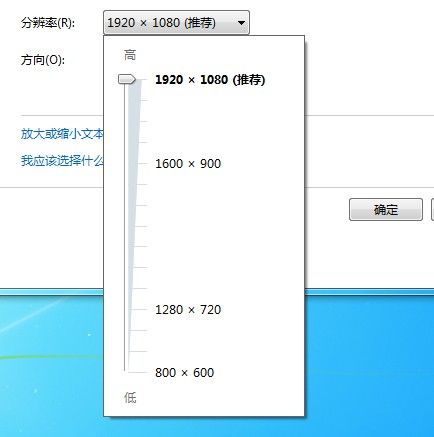
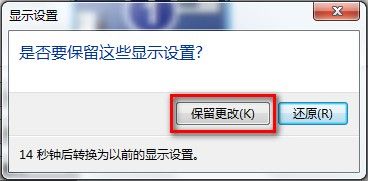
設定顯示器原生解析度可獲得最銳利畫面:
若畫面模糊或比例失真,通常為解析度非原生比例或顯卡驅動未正確安裝。
Win10 關閉使用者帳戶控制 (UAC) 三種方法圖解
微軟推送 Win10 Mobile 10586.107 預覽版:修復開始磚遺失、增加敘述人語言、優化 BitLocker 重置體驗
Win10 週年更新怎麼升級?兩種方式:Windows Update 分批推送 vs ISO 映像檔乾淨升級
Windows 10 預覽版全新安裝與雙系統安裝方法圖文詳解(三種方案任選)
Apple Watch 裝置名稱更改教學:透過 iPhone Watch App 修改
Win10 Mobile 越獄解鎖部署成功:Lumia 920 實測視頻展示註冊表修改效果
Win7 選擇預設程式出現「軟體管理-開啟未知檔案」?關閉 QQ 電腦管家推薦功能修復
Win7 清理 hosts 檔案完整教學:恢復預設、移除惡意導向