Win10 執行程式頻繁彈出 UAC 提示影響效率,提供三種關閉 UAC 的完整路徑。
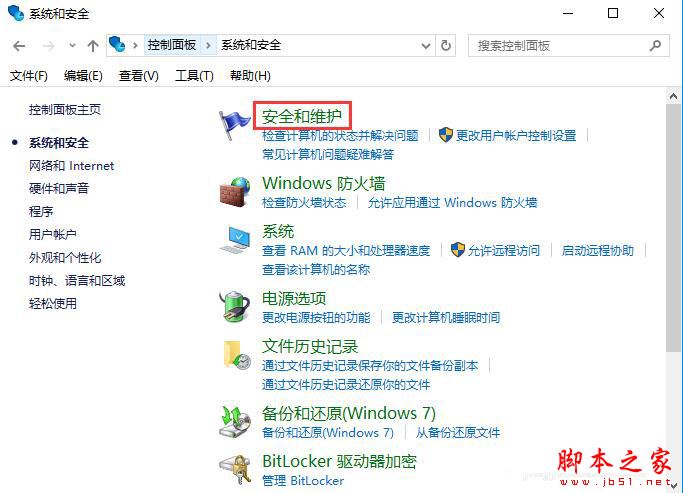
方法一:控制台 → 安全性與維護
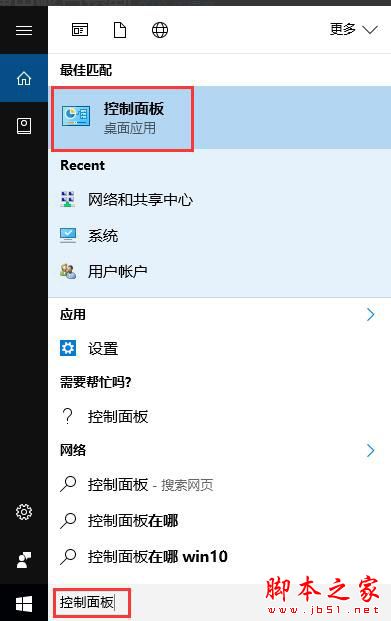
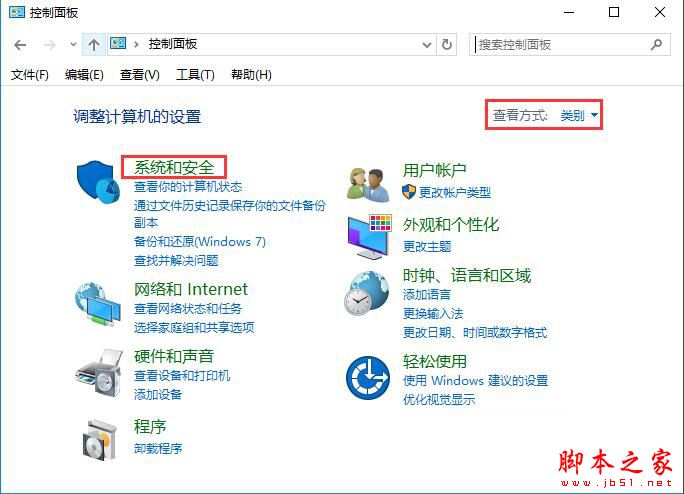
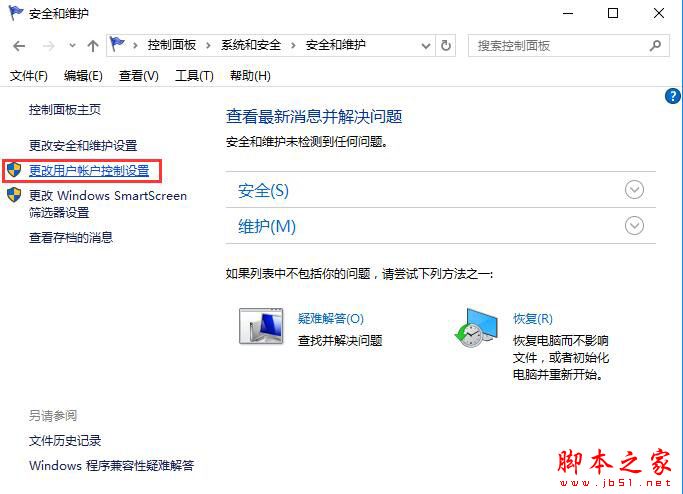
- 搜尋「控制台」→「系統與安全性」→「安全性與維護」。
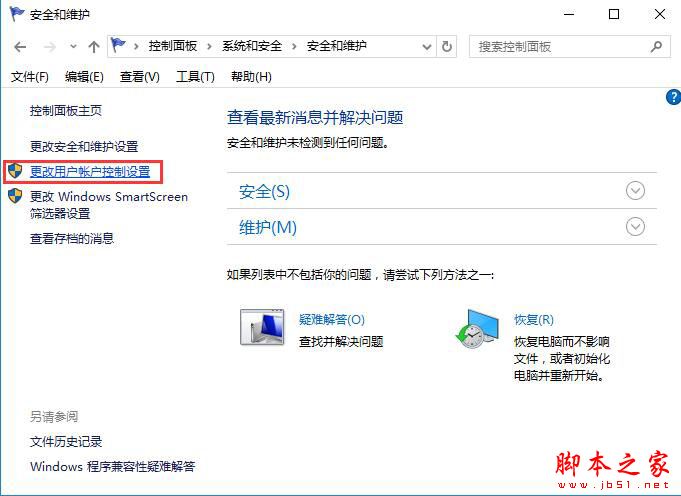
- 左側「變更使用者帳戶控制設定」。
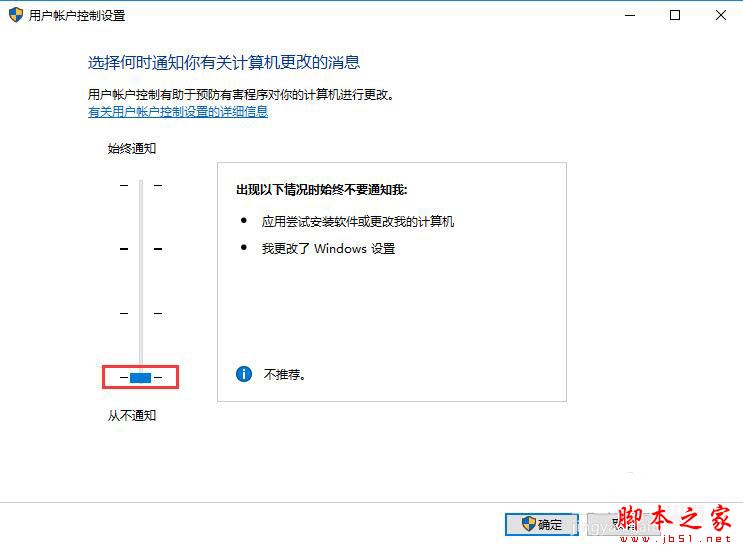
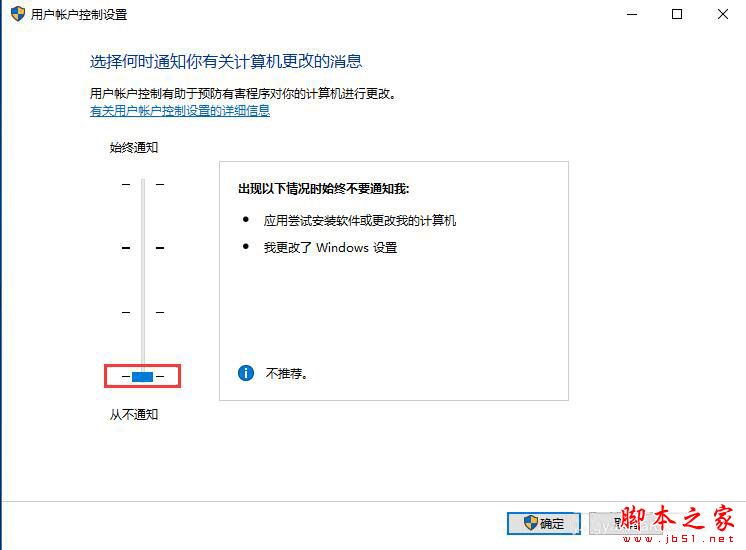
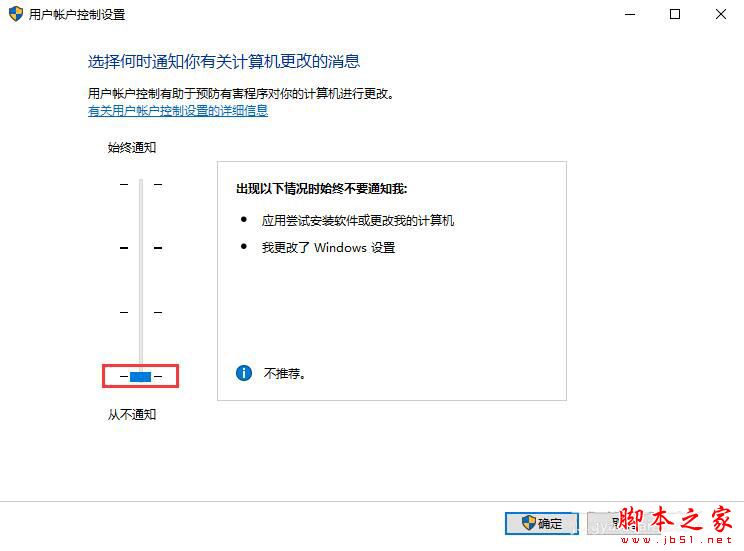
- 滑桿拉至最底「從不通知」→ 確定。
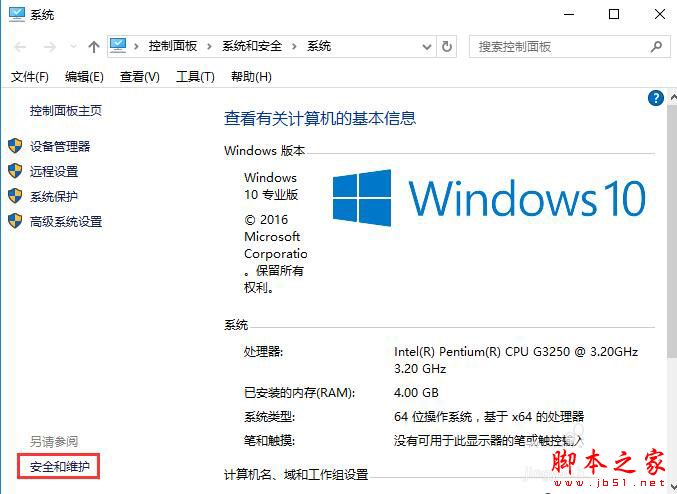
方法二:這台電腦 → 內容 → 安全性與維護
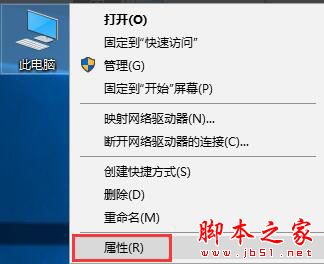
- 右鍵「這台電腦」→「內容」→ 左下「安全性與維護」。
- 後續步驟同方法一。
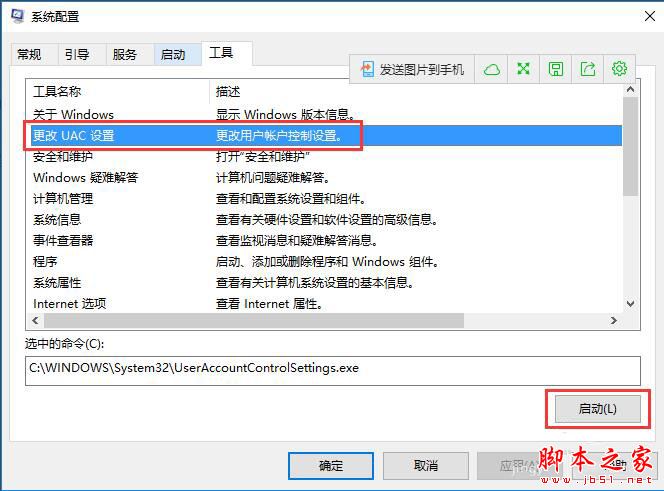
方法三:msconfig 系統設定工具
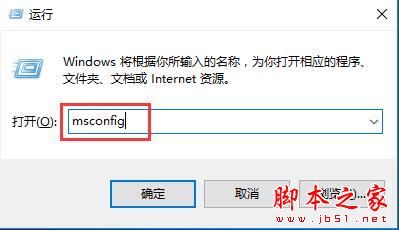
- Win+R 執行
msconfig。
- 「工具」索引標籤→選「變更 UAC 設定」→「啟動」。
- 滑桿拉至最底→確定。
三種方法任選其一,均可將 UAC 設為「從不通知」,執行程式不再彈窗詢問。