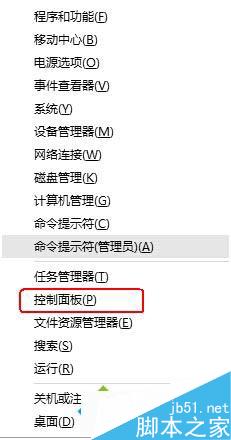
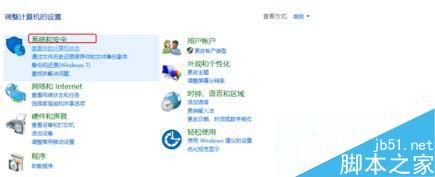
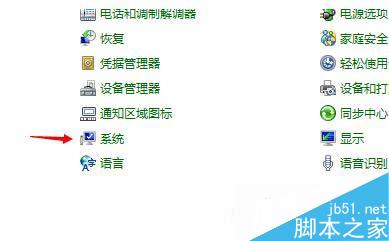
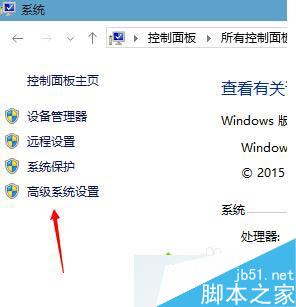
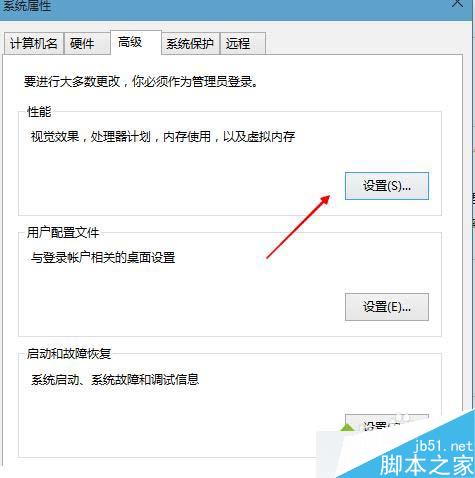
Win10 進階系統設定可調整視覺效果、虛擬記憶體、環境變數等,提升系統效能。
合理設定視覺效果與虛擬記憶體,讓系統運行更穩定流暢。
Windows 10 開啟內建防火牆教學
WinXP 系統如何開啟 STP 檔案?CAD 三維模型檔案開啟完整教學
Win10 內建相機應用程式開啟與專業模式、拍照計時、切換攝影機完整教學
Win7 將自拍照設為桌面背景並自動輪播?桌面背景設定「變更圖片間隔」+ 取消「隨機播放」
Win7 如何新增「列印目錄」右鍵功能?Printdir.bat + SendTo 選單一鍵列印資料夾清單
Win7 列印命令送出 30 秒後自動消失?缺少 Temp 資料夾導致,手動建立即可修復
Win10 新增語言包提示「連線到 Internet 檢查語言包」兩大解法
Win10 行事曆「新增事件」無法點選?隱私權設定一鍵修復