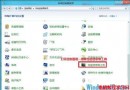
Win7 將「檔案類型關聯」設定移至控制台「預設程式」,介面與 XP 不同,初學者易迷路。本文示範如何將 .eml 郵件檔關聯回 Outlook。
操作路徑
- 控制台 → 檢視模式切為「大圖示」 → 點選「預設程式」。
- 兩種進入方式:
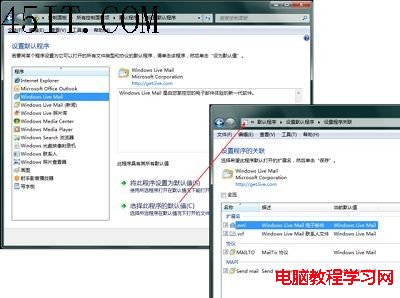
① 「設定預設程式」 → 左側選「Windows Live Mail」 → 右側「選擇此程式的預設值」 → 取消勾選 .eml → 確定。
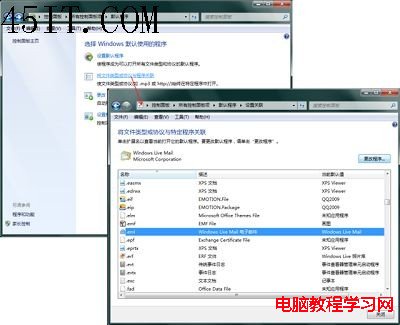
② 「將檔案類型或通訊協定與程式建立關聯」 → 找 .eml → 「變更程式」 → 選 Outlook → 勾選「始終使用選擇的程式開啟此類檔案」 → 確定。
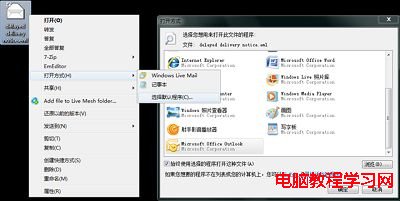
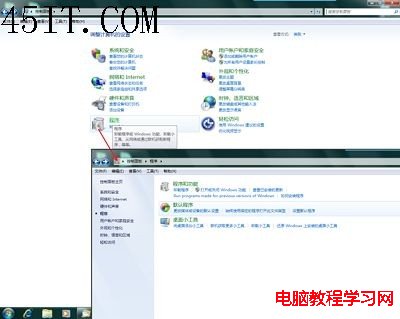
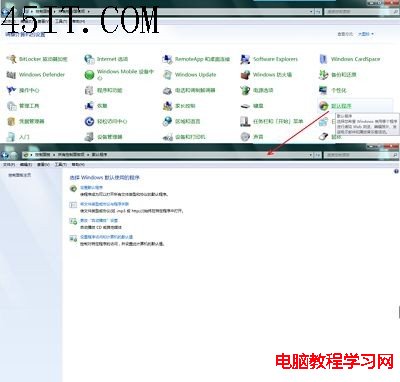
建議習慣用「大圖示」檢視控制台,所有設定項目一目瞭然,避免類別模式下找不到功能入口。